
Have you ever wished that a particular post on your WordPress site could stay at the top of your blog page, constantly catching your readers’ attention? Imagine your most important announcements, popular articles, or special promotions always being the first thing visitors see.
Making a post sticky in WordPress is like pinning a note to the top of a bulletin board; it ensures that your chosen content stands out, no matter how many new posts you publish. This simple yet powerful feature can significantly enhance the visibility and engagement of key content on your site.
Curious about how this works and how you can use it to your advantage? Read on to discover how making a post sticky can transform your WordPress site into a more dynamic and engaging platform for your audience.
Sticky Post Concept
A sticky post stays at the top of your blog. It doesn’t move down as new posts are published. This helps highlight important content. Readers see it first. It works like a pin on a bulletin board. You can choose any post to be sticky. It’s simple to set up in WordPress.
Go to your post editor. Look for the option to make it sticky. Check the box to activate it. This feature is helpful for announcements. Or to keep popular posts visible. Readers won’t miss it. It’s a great tool to keep content front and center.
Benefits Of Sticky Posts
Sticky posts appear at the top. Readers see them first. They don’t get lost in the crowd. This makes them easy to find. Visibility helps posts get more attention.
Sticky posts keep users interested. Important messages stay in sight. Users can read them anytime. Engagement grows with easy access. People interact more with content.
Sticky posts help prioritize content. Important news stays visible. Less crucial content moves down. Prioritization helps users see what matters most. It keeps things organized.
How To Make A Post Sticky
Making a post sticky in WordPress keeps it at the top of your blog’s front page. This feature ensures important content remains visible to readers, regardless of new posts. Enable the sticky option through the post settings to highlight essential information.
Accessing The Post Editor
Open your WordPress dashboard. Go to the “Posts” section. Click on the post you want. This will open the Post Editor. Here, you can edit content. You can also set options.
Using The Visibility Option
Look for the “Publish” box on the right. Find the “Visibility” setting. Click “Edit” next to it. You will see a checkbox for “Stick this post to the front page”. Check this box. Your post will stay at the top.
Publishing The Sticky Post
After setting visibility, click the “Update” button. Your post is now sticky. It will appear first on your blog. This helps readers see important posts.
Credit: www.wpbeginner.com
Managing Sticky Posts
Sticky posts stay at the top of your blog. This makes them very visible. To change a post to sticky, go to the post editor. Find the option to make it sticky in the settings. Click to save the changes. Now, your post is sticky. It will stay at the top of your page.
Removing a sticky post is easy. Go to the post you want to change. Find the sticky option again. Uncheck it. Save your changes. The post will not be sticky anymore. It will go back to its normal place in your blog.
Best Practices For Sticky Posts
Creating a sticky post in WordPress keeps important content at the top of your blog. This ensures readers see it first. To make a post sticky, use the ‘Edit’ option in ‘Publish’ settings and check ‘Stick this post to the front page’.
Content Relevance
Sticky posts must have content that matters now. Readers should learn something new. Keep it fresh and updated. Outdated information is bad. People lose interest fast. Add facts that are recent. Make sure it matches your blog theme. Content must fit your audience.
Frequency Of Sticky Posts
Do not overuse sticky posts. It can confuse readers. Limit sticky posts to two or three. Too many sticky posts look messy. People may ignore them. Change sticky posts often. Weekly updates are good. Readers like new and exciting content. Balance is key.
Audience Consideration
Think about your readers. What do they want to read? Know your audience well. Create content that fits them. Use words they understand. Keep sentences short and clear. Avoid complex phrases. Make it easy for non-native readers. Show them you care.
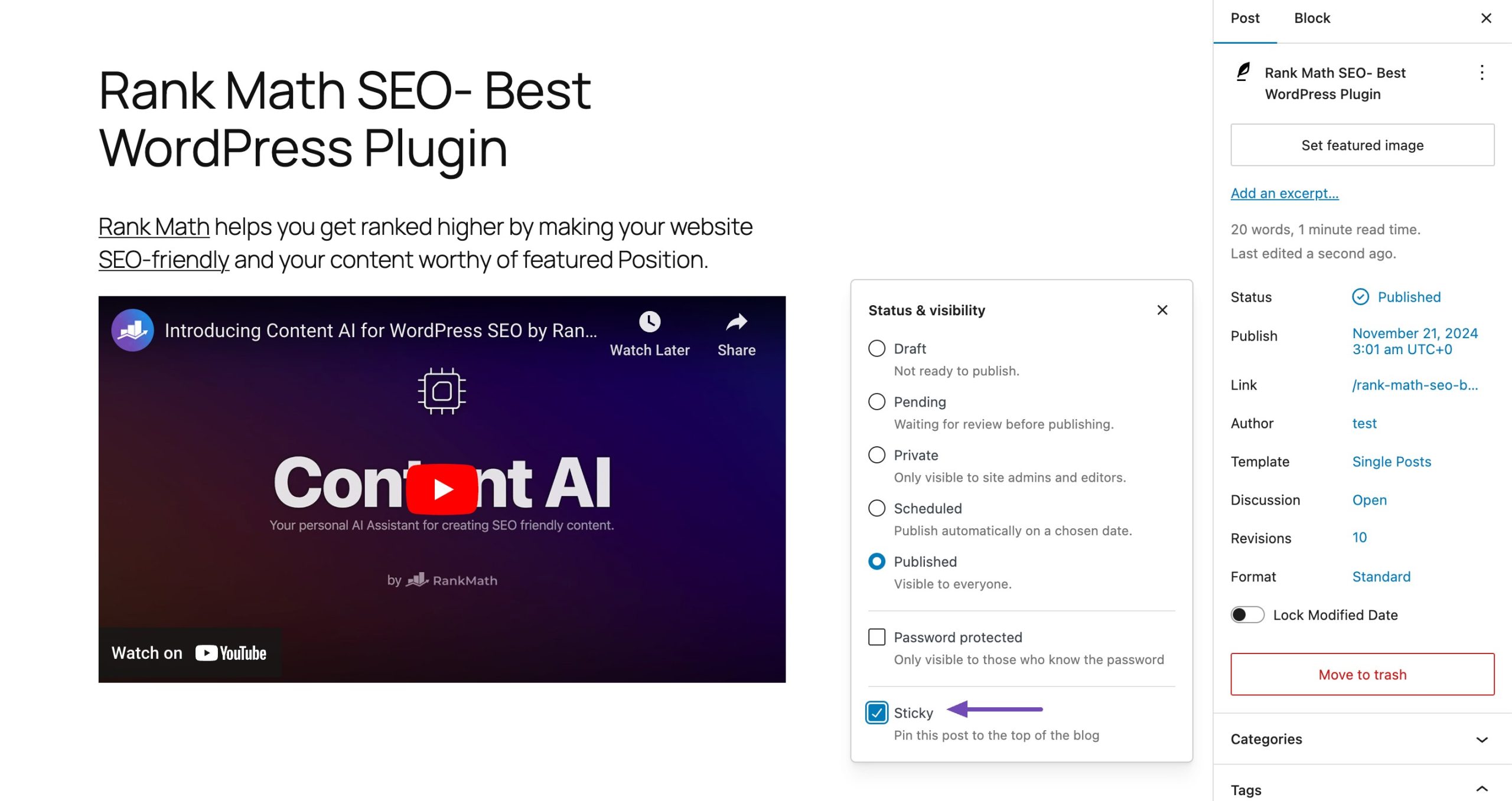
Credit: rankmath.com
Common Issues With Sticky Posts
Theme compatibility can cause sticky posts not to show correctly. Some themes may hide sticky posts from the homepage. This can confuse users. Sticky posts may appear in the wrong order. They might not stay at the top of the page.
Check your theme settings. Some themes have special options for sticky posts. Adjusting these settings can solve problems. If your theme does not support sticky posts, consider changing it. Many themes offer strong support for sticky posts.
Homepage Display Problems
Homepage display problems occur with sticky posts sometimes. They might not be visible on the front page. This can happen if the theme does not support sticky posts. Sticky posts may show up in archives but not on the homepage. This makes it hard for visitors to find important information.
Ensure your theme is updated. An updated theme might fix display problems. Try switching to a theme known for good sticky post support. This can improve visibility on the homepage.
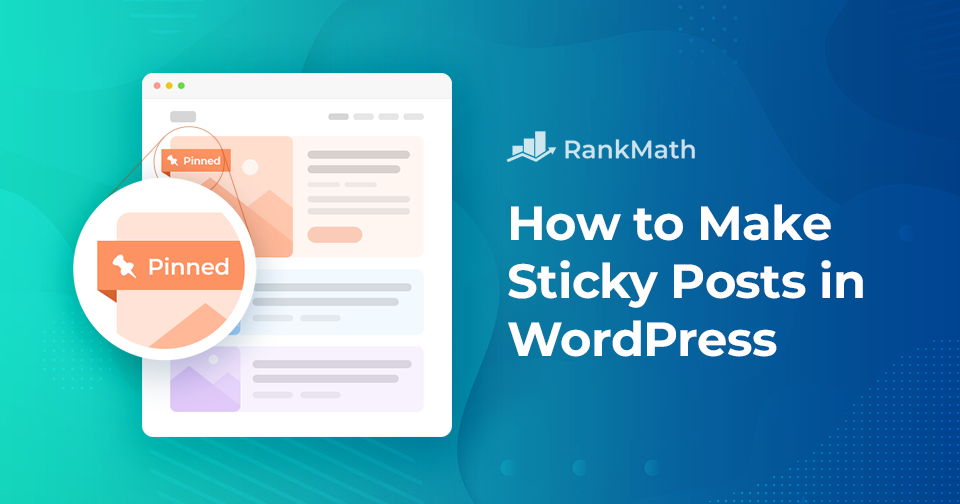
Credit: rankmath.com
Frequently Asked Questions
How Do I Make A Post Sticky In WordPress?
To make a post sticky in WordPress, edit the post in the admin panel. In the “Publish” section, click “Edit” next to “Visibility. ” Check the “Stick this post to the front page” option and update the post. This will keep it at the top of your blog.
What Benefits Do Sticky Posts Offer?
Sticky posts ensure important content remains visible on the front page, capturing visitor attention. They highlight announcements, promotions, or featured content. This improves user engagement and site navigation by keeping key information readily accessible.
Can I Have Multiple Sticky Posts?
Yes, WordPress allows multiple sticky posts. Each sticky post will appear at the top of your blog in chronological order. This feature helps you highlight several important posts simultaneously, ensuring they get the attention they deserve from your audience.
Do Sticky Posts Affect Seo?
Sticky posts can enhance SEO by keeping important content visible to visitors. This leads to increased engagement and potentially more backlinks. Relevant and updated sticky posts can improve search engine ranking and drive more traffic to your site.
Conclusion
Making a post sticky in WordPress is straightforward and beneficial. It keeps important content visible for your readers. Sticky posts help in boosting engagement by highlighting key information. They ensure your audience sees your most valuable content first. This feature is easy to use and effective.
It can enhance your blog’s organization and user experience. Consider making important posts sticky to maintain reader interest. Keep your content accessible and visible. Try it today and see the difference it makes. Keep your audience informed and engaged effortlessly.



