
Have you ever wondered why your WordPress site doesn’t look quite right on some devices? Or maybe you’re puzzled by why the text and images in your header aren’t aligning properly.
The culprit might just be header padding. Header padding in WordPress can make a world of difference in how your site appears and functions. It’s the invisible space around your header content that affects layout and design. Understanding header padding is crucial if you want to create a visually appealing and user-friendly website.
Dive in to discover how tweaking just a few settings can enhance your site’s look and feel, ensuring your visitors have the best experience possible. Let’s unravel the mystery of header padding and see how it can transform your WordPress site!
Credit: www.hostpapa.com
Header Padding Basics
Header padding is the space around your site’s header. It makes your website look neat. This space helps the header stand out. It’s like a cushion for the header. If you add more padding, the header looks bigger. Less padding makes it smaller.
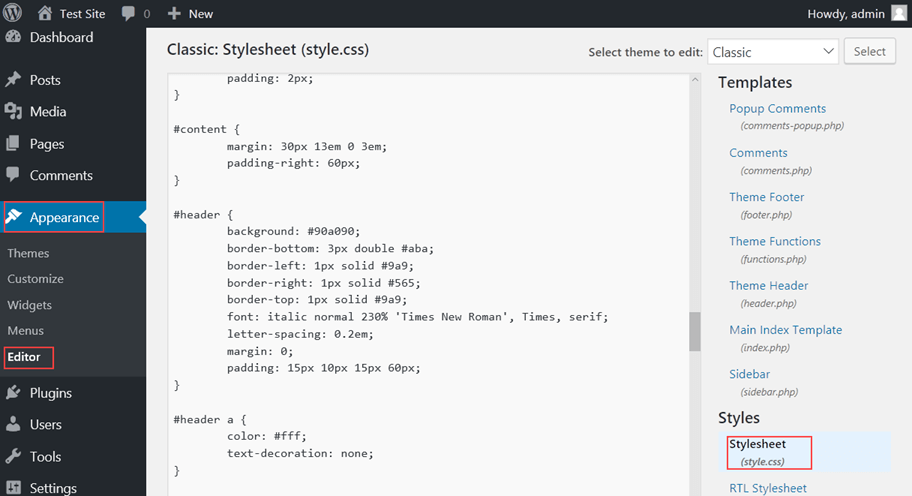
You can change header padding in WordPress easily. Go to your theme settings. There, you will find a section for padding. Adjust it as you need. Proper padding helps in better design. It makes your site more user-friendly. A well-padded header is easy on the eyes. It improves the overall look of your site.
Importance Of Header Padding
Header padding is the space around your website’s header. It helps make your site look neat. Your site visitors feel good when things are tidy. A clean header makes the website easy to read. It also helps in organizing content.
This space makes your site look good on all devices. Phones, tablets, and computers show the header nicely. Without enough padding, text and images can look messy. Proper padding keeps your header’s elements in place. This way, nothing looks out of order. It’s like giving your header a nice frame. Everyone loves a well-framed picture.
How To Adjust Header Padding
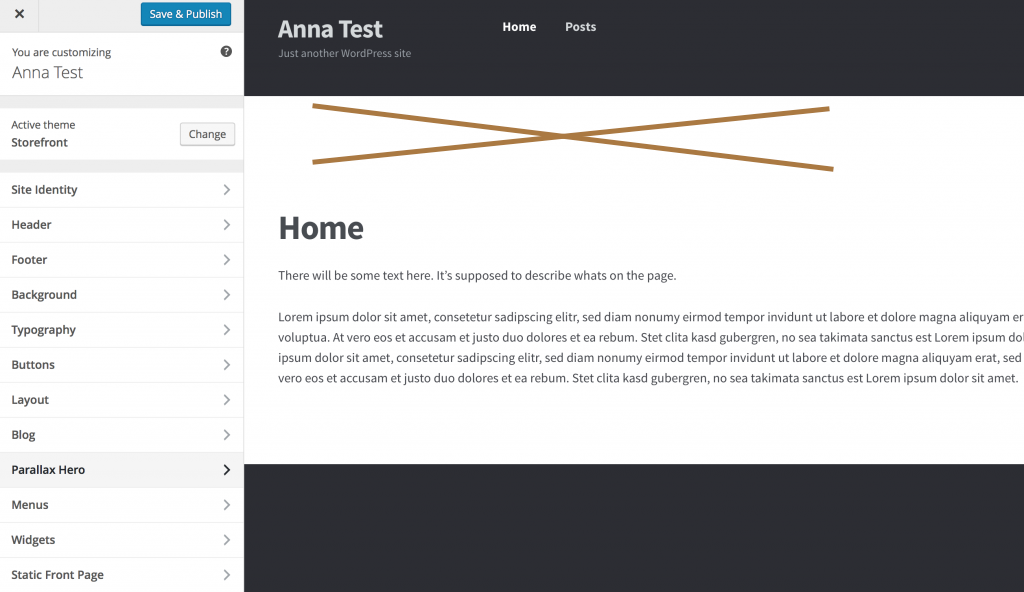
The Theme Customizer is a simple tool. Go to your WordPress dashboard. Click on “Appearance”, then “Customize”. Look for header settings. Here, you can change the header padding. Use sliders to adjust the space. Save changes to see the effect. This method is easy for beginners.
Custom CSS gives more control. Go to “Customize” and find “Additional CSS”. Enter code like: header { padding: 20px; }. Change the numbers to fit your need. This method allows precise control. Always preview changes before saving. It helps avoid errors.
Page builders make design easy. Use tools like Elementor or WPBakery. These let you drag and drop elements. Adjust padding with simple clicks. Look for padding options in the header section. Page builders offer a visual way to change padding. Great for those who like to see changes live.
Common Issues With Header Padding
Header padding in WordPress often causes uneven spacing or alignment issues. This can make your website look untidy. Adjusting padding settings helps achieve a balanced and visually appealing header.
Alignment Problems
Headers not aligned can look messy. Padding issues cause this. Text may not be centered. Or, it might be too close to the edge. This makes reading hard. Adjusting the padding fixes it.
Overlapping Elements
Sometimes, items on the page overlap. This happens with poor padding. Images might cover text. Or, buttons may hide behind other things. Proper padding keeps elements separate. Everything looks neat.
Responsive Design Challenges
Websites should look good on all devices. Phones, tablets, and computers. Responsive design helps with this. Header padding must adapt to screen size. Wrong padding makes sites look bad on small screens. Adjust padding for each device.
Tips For Effective Header Padding
Header padding makes your site look good. It also helps users find things easily. Too much padding can be confusing. Too little padding can be messy. Find the right balance. Make it both pretty and useful. This keeps users happy.
Padding affects how your site looks on phones. It also affects tablets and computers. Test header padding on all devices. Make sure it looks good everywhere. Users should see the same header. No matter what device they use. This keeps users engaged.
Padding helps show your brand style. Use padding to match your brand colors. Keep font styles consistent too. This makes your brand strong. Users remember brands that look good. Consistent padding helps with this.
Tools For Header Padding Adjustment
Header padding in WordPress refers to the space between the header content and its border. Adjusting this padding helps improve layout and design. Various tools in WordPress allow easy changes to header padding for a more visually pleasing appearance.
WordPress Plugins
Many WordPress plugins help with header padding. Install plugins like Elementor or WPBakery. These plugins offer easy settings. Choose the header section. Adjust the padding with sliders. Plugins save time. No coding is needed. Change the padding with simple clicks. Plugins are user-friendly. Good for beginners.
Online Css Editors
Online CSS editors are useful. They show changes in real-time. Copy your CSS code. Paste it in the editor. Adjust padding values. See changes instantly. No need to install software. Websites like JSFiddle or CodePen are popular. They are free to use. Easy for everyone. Edit your header padding swiftly.
Real-world Examples
Header padding gives space around the header. It can make a website look neat. Many websites use header padding to make their design better. For example, a news site needs space for its logo. Padding helps keep everything in order.
An online store uses padding to show its brand name clearly. This makes the header easy to read. A blog page can have padding to make the title stand out. It helps readers focus on important parts. Padding is like a cushion for the header. It keeps things tidy and simple.

Credit: docs.oceanwp.org
Credit: annaschneider.me
Frequently Asked Questions
What Is Header Padding In WordPress?
Header padding in WordPress refers to the space between the header content and its borders. It’s used to adjust the appearance and layout of your website’s header, ensuring it looks balanced and visually appealing. Proper header padding enhances user experience by making the header elements more distinct and organized.
How To Change Header Padding In WordPress?
To change header padding in WordPress, navigate to the Appearance section, then Customize. Select the Header option and adjust the padding values as needed. Alternatively, you can edit the CSS file using a custom code snippet for more precise control over header padding adjustments.
Why Is Header Padding Important?
Header padding is important for maintaining a clean and organized website layout. It helps in separating header elements, enhancing readability, and improving overall user experience. Proper padding ensures that your header content is visually appealing, balanced, and easily navigable, contributing to better engagement with site visitors.
Can Header Padding Affect Website Design?
Yes, header padding significantly affects website design. It influences the overall appearance by controlling spacing around header elements. Proper padding ensures a visually appealing layout, enhancing readability and user experience. Incorrect padding can lead to a cluttered design, negatively impacting visitor engagement and site aesthetics.
Conclusion
Header padding in WordPress is crucial for design balance. It affects visual appeal and functionality. Proper padding ensures headers stand out and are readable. It contributes to a clean, professional look. Adjusting padding can personalize your website. It enhances user experience by creating a neat layout.
Experiment with different padding sizes. Find what fits your style best. Keep your audience in mind. Their ease of navigation matters. Padding decisions influence your website’s success. So, take time to optimize it. Effective header padding is a small step to a big impact.


