Imagine landing on a website and feeling an instant connection. That’s the magic of an effective front page.
In WordPress, your front page is the first impression your site makes, acting as the digital handshake that welcomes visitors. But what exactly is the front page in WordPress, and why does it matter for your site? Understanding this key feature can transform how users perceive your brand and engage with your content.
In this post, you’ll learn why mastering your WordPress front page is crucial and how it can captivate your audience from the moment they arrive. We’ll delve into how you can leverage this space to boost engagement, increase conversions, and leave a lasting impact. Stay with us to unlock the secrets of creating a front page that not only looks great but also works wonders for your online presence.
Credit: kinsta.com
Defining The Front Page
A Front Page is the first page visitors see. It welcomes everyone. In WordPress, this page is special. It can be a static page or show your latest posts. A static page does not change often. Blogs often use the latest posts. This shows fresh content to visitors.
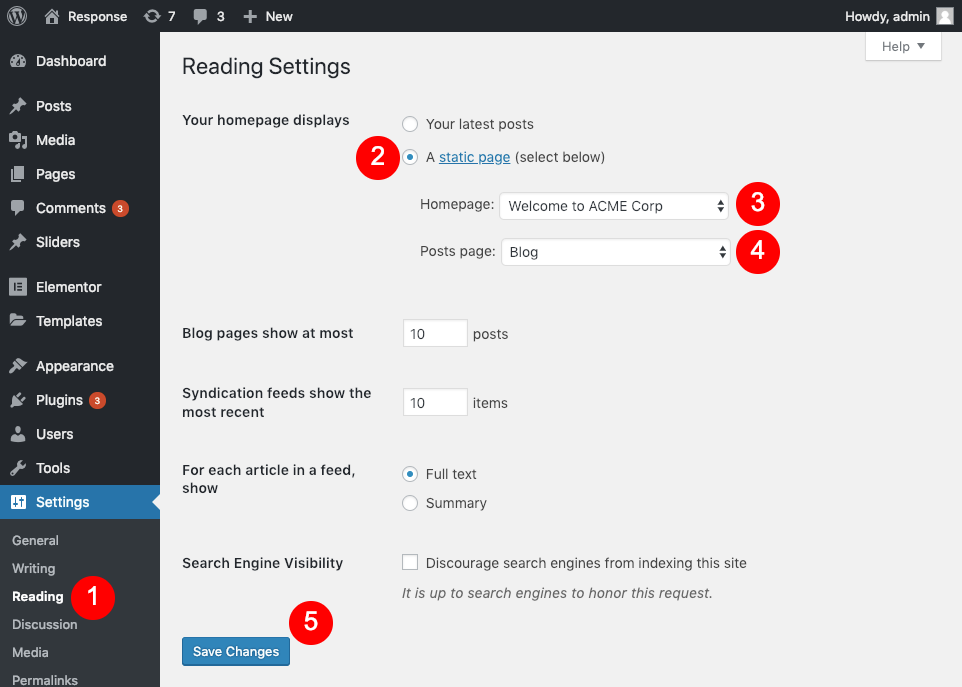
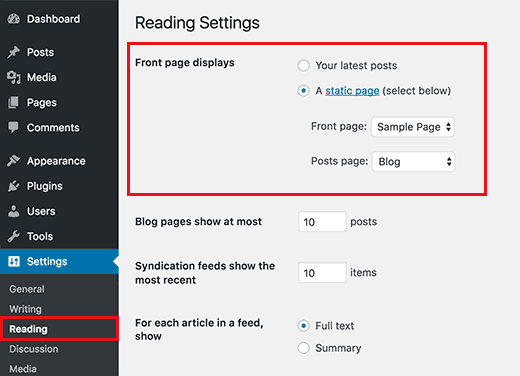
To set a front page, go to settings. Then choose “Reading”. Here, select what you want. Choose static or latest posts. This helps in making your site look neat. It also guides visitors to the right content.
A good front page is important. It gives a great first impression. It tells visitors about your site. Keep it clear and simple. This way, everyone will enjoy visiting.
Credit: cyberchimps.com
Static Vs. Dynamic Front Pages
A static front page in WordPress shows the same content. It doesn’t change. This is great for business sites. People see the same message each time. It feels like a homepage. A dynamic front page changes often. New posts appear on top. This is good for blogs. It keeps content fresh. Readers see new stuff every visit. Both types have benefits. Choose based on your site needs. Static or dynamic? It’s your choice.
Setting Up A Front Page
First, go to your WordPress dashboard. Find the Settings menu. Click on Reading. This is where you can change the front page. It’s simple to do.
Want to use a static page? Select Static Page option. Choose the page you want as your front page. This makes the page fixed. It won’t change with new posts.
Prefer showing new posts first? Choose Your Latest Posts. This makes the blog dynamic. New content appears first. It keeps your site fresh. Visitors see the latest updates.
Design Considerations
Designing the front page in WordPress involves thoughtful layout and content placement. Prioritize user experience by ensuring easy navigation. Select a visually appealing theme that aligns with your brand’s identity.
Choosing Themes
The theme is like clothes for your website. It affects how the site looks. Pick a theme that matches your style. Some themes are fancy, others are simple. Make sure the theme is responsive. This means it looks good on phones and computers. Check if the theme is easy to customize. This helps you make changes without fuss. Many themes are free. Some cost money. Choose wisely.
Customizing Layouts
Layouts are the structure of your site. They decide where things go. Use columns and rows for neatness. Change layouts to suit your content. Make sure everything fits well. Avoid cluttered layouts. They confuse visitors. Clean and simple is often best. Test layouts by previewing them. This helps catch errors. Adjust until satisfied.
Incorporating Widgets
Widgets are like tools for your site. They add features and functions. Use widgets for sidebars and footers. They can show latest posts or social media links. Widgets make sites more interactive. Choose widgets that help your audience. Avoid too many widgets. They slow down sites. Organize them for easy access. Widgets can be added or removed easily.
Seo Best Practices
Content must be clear and engaging. Use simple words that everyone understands. Short sentences make reading easy. Break long text into smaller parts. Bold important words for attention. Use keywords naturally. Readers should enjoy your text. They should find it useful.
SEO plugins help improve your site’s search ranking. They give tips on keywords and tags. Use them to make your site better. Plugins offer guidance on content structure. They suggest improvements. Many plugins are free and easy to use. Choose one that fits your needs. They make SEO tasks simple.
Common Challenges
Understanding the front page settings in WordPress can be tricky. Many users face issues deciding between a static page and a dynamic post feed. Adjusting these settings often leads to confusion about how the homepage should look and function.
Troubleshooting Display Issues
WordPress front page often faces display issues. Images might not show. Text could be missing. Widgets sometimes appear incorrectly. Checking theme settings helps. Verify widget placement. Inspect image URLs. Broken links can cause display problems. Use the WordPress customizer. It previews changes safely. Clear cache to update new settings. Sometimes, browser cache causes display errors.
Handling Plugin Conflicts
Plugins can conflict with each other. This affects the front page. Deactivate suspicious plugins first. Check if the front page works. Activate them one by one. Observe changes carefully. Update plugins regularly. This minimizes conflicts. Compatibility is crucial for smooth operation. Contact plugin support if issues persist. They provide solutions and updates. Consider using fewer plugins. Quality over quantity is better.
Tips For An Effective Front Page
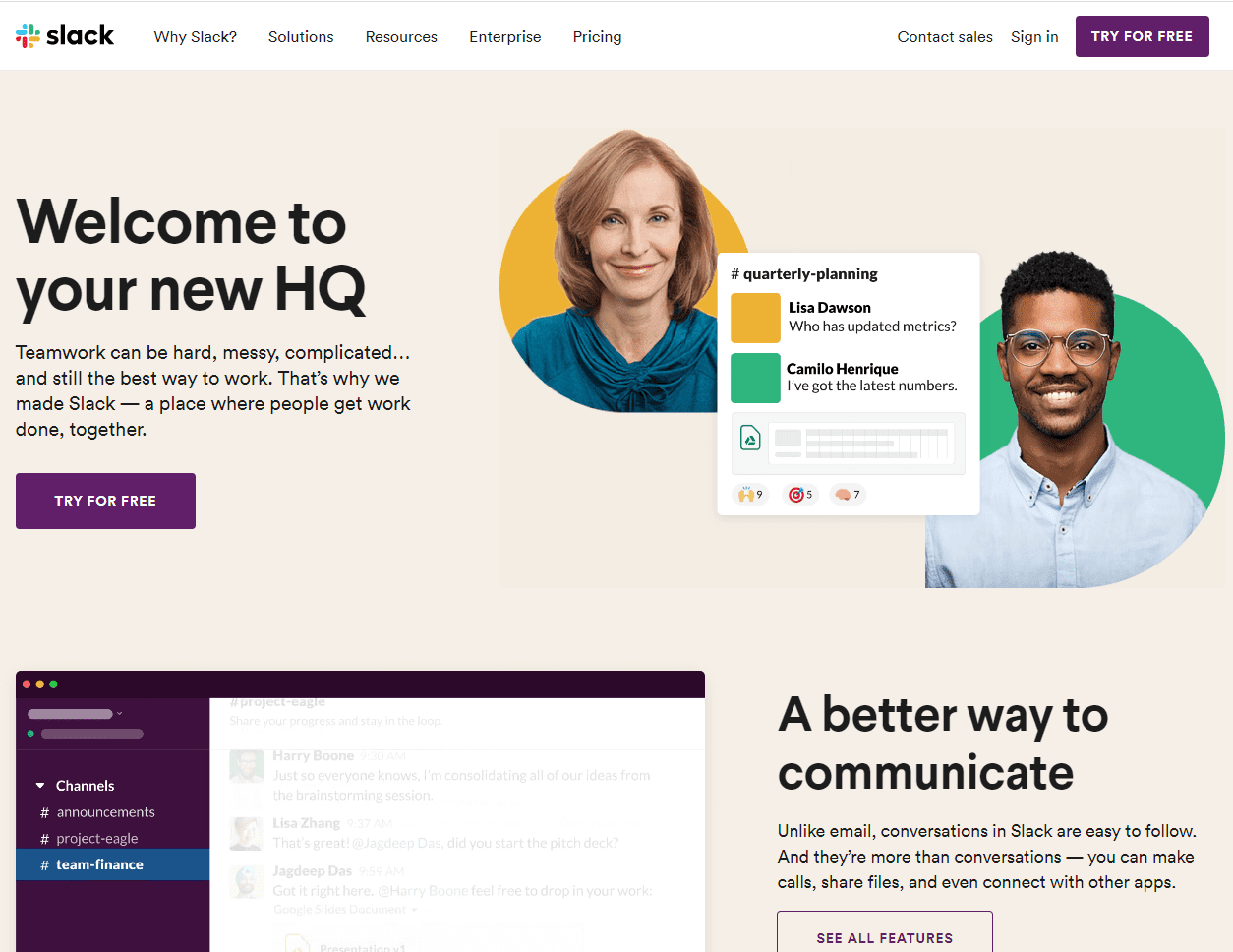
The front page is the first thing visitors see. Use bright colors to catch attention. Simple images are best. Avoid clutter. Too many elements confuse people. Choose a clean design. Make it easy to understand. Align images properly. This helps users focus. Use high-quality pictures. They look professional. Add a logo. It’s important for branding.
Guide visitors with a strong call-to-action. Use simple words. Make it clear what they should do. Buttons are great tools. Write short labels on them. “Sign Up” or “Learn More” are good examples. Place buttons where users can see them easily. Test different colors. Find out which works best. Bold text can highlight your message. Keep it brief. This helps users decide quickly.
Credit: www.wpbeginner.com
Frequently Asked Questions
What Is The Front Page In WordPress?
The front page in WordPress is the first page visitors see. It can be your latest posts or a static page. You can customize it through the WordPress settings to match your site’s needs. This feature allows for greater control over your website’s appearance and functionality.
How To Set A Front Page In WordPress?
To set a front page, go to Settings > Reading. Choose “A static page” and select your desired page. Save changes to apply the settings. This customization helps you control what content is displayed when users visit your site.
Can I Use A Static Front Page?
Yes, WordPress allows using a static front page. This is ideal for business sites or portfolios. You can customize it to highlight specific content or services. It provides a consistent welcome page for your visitors.
Why Use A Blog Page As Front Page?
Using a blog page as your front page showcases your latest posts. It’s great for news sites or blogs. This setup keeps content fresh and engages visitors with new updates. It’s a dynamic way to present your site’s content.
Conclusion
Exploring the front page in WordPress opens up many possibilities. It shapes the first impression visitors have of your site. Using WordPress, customizing this page becomes easy and flexible. Tailor it to reflect your brand and engage visitors. Remember, a well-designed front page can boost user interaction.
Keep experimenting with different layouts and content styles. Always prioritize user experience and clarity. With practice, your front page can become a powerful tool. Start exploring its potential today. Your website’s success depends on a captivating front page. Happy designing!