Imagine you’re browsing a website, and you hover over a link. A small tooltip appears, offering a glimpse of what lies ahead if you click.
This is the magic of the title attribute, a powerful tool in your WordPress SEO arsenal. It might seem like a tiny detail, but its impact on user experience and search engine optimization is anything but small. Understanding and utilizing this feature can significantly enhance your site’s visibility and engagement.
Have you ever wondered how this seemingly simple element can transform your WordPress site’s SEO strategy? Stick around, and you’ll discover why mastering the title attribute is crucial for your website’s success.
Title Attribute Basics
The title attribute is a small piece of text. It describes an element on a webpage. In WordPress, it can be used for links and images. When a user hovers over an element, the title pops up. This helps users understand better what a link or image is about. It is also used by search engines. They use it to learn more about the content. Making good use of the title attribute can improve your site’s SEO. It is important to keep it short and relevant. Always use clear language. This ensures everyone understands the information.
Importance In Seo
Title attributes help search engines understand page content. They are short text that describe a link. This description appears when you hover over a link. Using clear and specific words is important. It makes your page more visible. Good title attributes can improve your site’s ranking. They tell search engines what your page is about. Users also find them helpful. They know more about the link before clicking. This can lead to more clicks and visits. Title attributes are easy to add in WordPress. They make a big difference in SEO. Remember to keep them short and relevant. This helps both users and search engines.
How To Add Title Attributes
Title attributes in WordPress SEO enhance link descriptions, improving user experience and accessibility. To add them, simply edit the link in the WordPress editor, locate the title attribute field, and enter a descriptive text. This boosts SEO by providing more context for search engines.
Using WordPress Dashboard
Title attributes are helpful for understanding links. They show extra info about a link. In WordPress, you can add them easily. First, log in to your WordPress dashboard. Go to the page or post editor. Find the link you want to edit. Click on the link. A small box will open. In the box, you can type the title attribute. Write a brief description of the link. This helps users know more about it.
With Seo Plugins
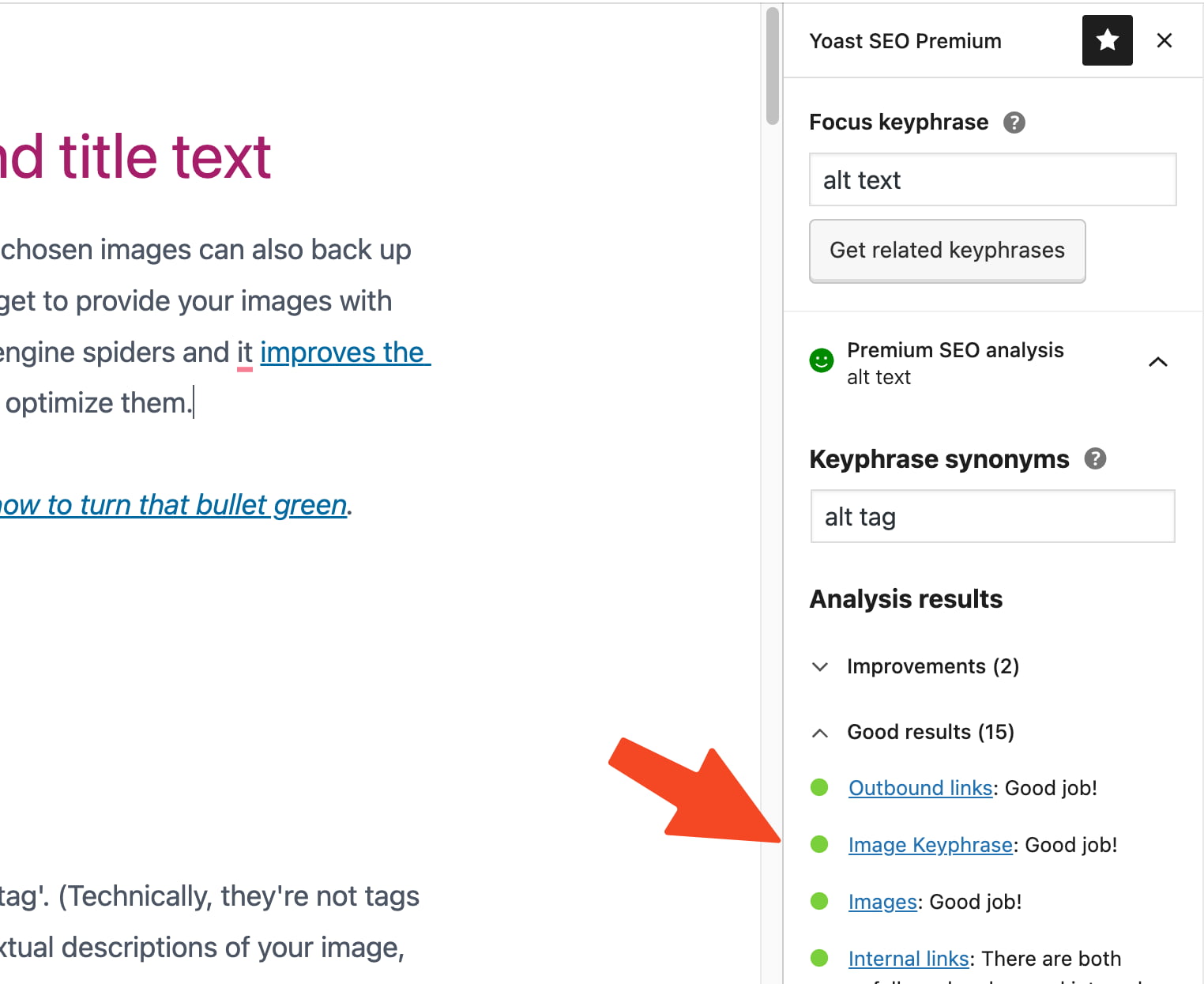
SEO plugins make adding title attributes simple. Popular plugins like Yoast SEO and All in One SEO are good choices. After installing a plugin, go to the settings. Look for title options. Here, you can add title attributes to your links. The plugin will guide you. This makes your site better for users. It also helps search engines understand your content.
Best Practices
A title should be short. Use simple words. Shorter titles are easier to read. Users can quickly understand them. Aim for fewer than 60 characters.
Keywords are important. Choose words people search for. This helps users find your page. Place keywords at the start of the title. This catches attention.
Titles must match page content. Users expect this. Relevant titles keep users happy. They stay longer on your page. This helps your site’s ranking.
Common Mistakes
Understanding the title attribute in WordPress SEO is crucial. Many make the mistake of not customizing it, leading to missed opportunities for better search rankings. A well-optimized title enhances visibility, drawing more visitors to your site.
Overstuffing Keywords
Many people add too many keywords. Too many keywords make titles look unnatural. Search engines might ignore them. It can also confuse readers. Use keywords wisely. Add only the important ones. Keep it simple. Make sure titles are readable and clear.
Ignoring Accessibility
Accessibility is often forgotten. Many people do not think about readers with disabilities. Screen readers need simple words. Titles should be easy to understand. This helps everyone read your site. Good accessibility also improves SEO. Think about all your users. Make your site friendly for everyone.

Credit: mrwweb.com
Impact On User Experience
The Title Attribute in WordPress SEO helps users understand links. It shows extra information when you hover over a link. This can make your website easier to use. Users can find what they need faster. This is very helpful for people with low vision. It also helps people who are not sure about the link. They feel more confident about clicking.
Good use of the Title Attribute makes websites friendly. It tells users what to expect. Users enjoy clear and helpful sites. This can keep them coming back. It is important to use words that make sense. Always choose words that are easy to understand. This keeps your site user-friendly.
Monitoring And Adjusting
Check your website traffic often. Use tools like Google Analytics. They help track visitor numbers. Spot any traffic changes quickly. Understand why changes happen. Look at the data. It shows how visitors behave. Are they staying long? Or leaving quickly? This information is key. Adjust your strategies if needed. Better strategies can improve traffic. Keep an eye on keyword performance too. Keywords affect traffic greatly.
Update your content often. Fresh content attracts more visitors. Search engines like new content. They rank updated sites higher. Check old posts. Add new information if needed. Remove outdated details. Make small changes to improve readability. This keeps your site relevant. Visitors will return for new content. Regular updates build trust. Trust keeps your audience engaged and interested.
Credit: yoast.com
Credit: www.hostinger.com
Frequently Asked Questions
What Is A Title Attribute In WordPress Seo?
A title attribute in WordPress SEO is an HTML element. It provides additional information about a link or image. This attribute appears as a tooltip when users hover over the element. It can improve accessibility and user experience. Additionally, it can aid search engines in understanding the context of a link.
How Does The Title Attribute Affect Seo?
The title attribute can enhance the user experience by providing context. It indirectly affects SEO by increasing accessibility and usability. However, it does not directly impact search engine rankings. Its main role is to provide supplementary information to users and assist in better navigation.
Is The Title Attribute Necessary For WordPress?
While not mandatory, the title attribute is beneficial. It improves accessibility by offering extra context for links and images. This can enhance user experience, especially for those using screen readers. It also contributes to a more informative and interactive website design.
How To Add A Title Attribute In WordPress?
To add a title attribute in WordPress, edit the HTML of a link or image. Insert the attribute within the tag, like ``. Many WordPress plugins also offer options to manage title attributes easily without coding. This enhances both functionality and accessibility.
Conclusion
Understanding the title attribute in WordPress SEO is crucial. It enhances your site’s search engine visibility. Better visibility means more visitors. More visitors can lead to increased engagement. It’s a simple yet effective tool. Easy to implement and boosts your site’s ranking.
Regularly update your title attributes. This keeps your content fresh and relevant. Remember, small changes can make a big impact. Always consider your audience and their search habits. Proper use of title attributes helps you reach them effectively. Keep learning and adapting for the best results.
Your site will benefit greatly from these optimizations.