
Imagine having a secret weapon to boost your blog’s visibility and connect with a wider audience. Enter the blogroll in WordPress.
If you’ve ever wondered what exactly a blogroll is and how it can benefit your site, you’re in the right place. A blogroll is like your personal list of recommended sites, and when used wisely, it can transform your blog into a community hub.
Are you ready to uncover how a simple list can enhance your blog’s credibility and engagement? Keep reading, because this could be the game-changer you’ve been looking for.
Blogroll Basics
A blogroll is a list of links. These links point to other blogs or websites. It shows up on your WordPress site. The blogroll helps visitors find new sites. It builds a web of connections.
Blogrolls create a sense of community. They support fellow bloggers. They let visitors explore related content. A blogroll can boost your site’s traffic. Visitors might click and stay longer.
Blogrolls started in the early days of blogging. They were simple lists. Bloggers shared their favorite sites. This practice made blogs feel personal and friendly. Over time, blogrolls have changed. They remain a part of WordPress sites. Blogrolls help keep the internet connected.
Credit: wptavern.com
Setting Up A Blogroll
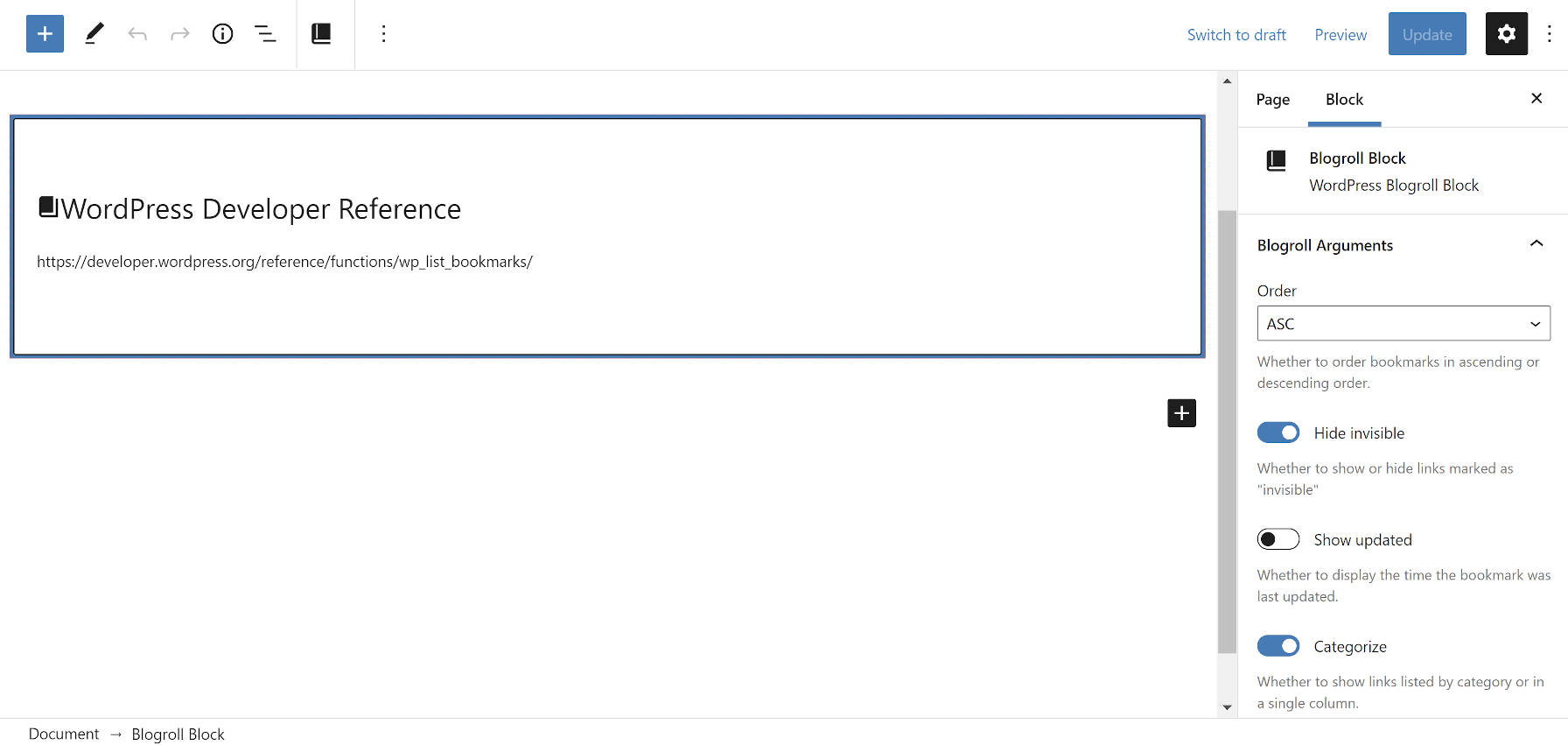
WordPress has a special feature called Blogroll. It is easy to find. First, open your WordPress dashboard. Then, look for the Links section. This is where the Blogroll lives. Click on it. You will see many options. These options help you manage your links. It is important to use this tool well. A good Blogroll makes your site more interesting. It also helps readers find new content.
Adding links to the Blogroll is simple. Click Add New in the Links section. You can type the link name and URL here. Do not forget to save your changes. Managing links is also easy. You can edit or delete them anytime. Just click on the link you want to change. Then, make your changes and save. This keeps your Blogroll fresh and useful.
Customization Options
Exploring customization options, a blogroll in WordPress lists favorite or recommended blogs. Users personalize this feature to showcase curated content. Tailoring the blogroll enhances engagement by directing visitors to related sites.
Styling The Blogroll
A blogroll can look unique on your website. You have many styling choices. Use different fonts and colors to make it stand out. Choose a simple style for easy reading. Try adding icons next to links. This makes them more fun. Some themes offer built-in styling. Check your theme settings. Experiment with different styles. Find what fits your site best. Keep it tidy. Too many styles can confuse readers. Always think of user experience first.
Organizing Links
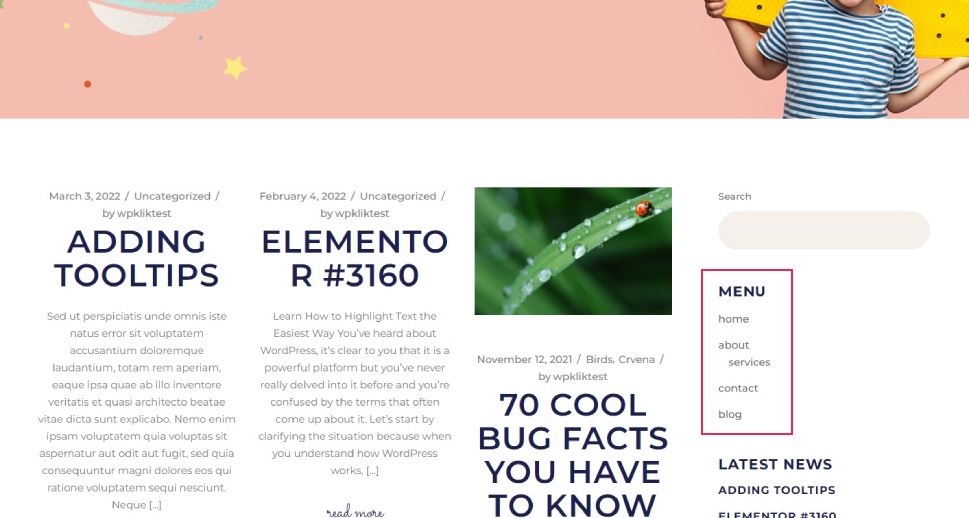
Organize your blogroll for easy navigation. Group links by category or topic. This helps visitors find what they need. Use short and clear names for links. Avoid long, complex titles. Put important links at the top. Less important ones can go below. You can also use a table for better organization. Make sure your blogroll is neat. Update it often. Remove broken links to keep it fresh. A well-organized blogroll makes your site user-friendly.
Benefits Of Using A Blogroll
Blogrolls help in connecting with other bloggers. By sharing their links, you build a community. This can lead to collaborations. You might guest post on their blog. They might do the same for you. This exchange benefits both. It opens doors to new audiences. You learn from others. They learn from you. Together, you grow stronger.
A blogroll makes your site easy to explore. Visitors find related blogs quickly. They spend more time on your site. This boosts your site’s engagement. It keeps them coming back. They trust your recommendations. This trust builds loyalty. A happy visitor is a returning visitor. Your blog becomes a resource hub.
Seo And Blogrolls
A blogroll can help your site. It creates links to other sites. These links are called backlinks. Search engines like backlinks. They trust sites with many backlinks. This can boost your site’s rank. But choose links wisely. Bad links can harm your site. Link to sites that are relevant. They should have good content.
Use blogrolls to share valuable content. Choose sites that fit your blog theme. This helps users and search engines. Regularly update your blogroll. Remove broken links. Add new and helpful links. Keep your blogroll neat and useful. It improves user experience. It helps in better SEO performance.
Credit: qodeinteractive.com
Common Challenges
Managing links can be hard. A blogroll may have many links. Some links may break over time. Broken links make users sad. They also hurt your website’s SEO. Checking links often is important. It keeps the blogroll working well. There are tools to help with this. These tools find broken links for you. Fixing links makes your site better.
A blogroll needs to stay fresh. Old links can become useless. Websites may change or close. New links should be added often. This keeps the blogroll helpful. Readers find new information. They enjoy visiting your site more. Regular updates make a blogroll stand out. It shows care and effort. This builds trust with readers.
Alternatives To Blogrolls
A blogroll in WordPress showcases a list of favorite or recommended blogs. For alternatives, consider using widgets or plugins. These can display related posts, recent comments, or popular articles.
Widgets And Plugins
Widgets and plugins can be great tools. They help make your site interesting. WordPress plugins add special features. You can display recent posts or comments. Widgets let you add things like calendars or search bars. They go in your site’s sidebar or footer.
Many plugins and widgets are free. Some have a small cost. They are easy to install. Just a few clicks and they’re ready. They also get updates. This helps them stay secure.
Social Media Integration
Adding social media links is smart. It connects your blog to Facebook, Twitter, and more. This can bring new visitors to your site. Social media widgets are easy to set up. They show your latest tweets or posts.
These links help readers share your content. More shares mean more readers. This can grow your blog’s audience. Social media plugins make sharing simple. They add buttons to each post. These buttons are easy to use.
Future Of Blogrolls
A blogroll in WordPress is a list of recommended blogs or websites. It helps visitors discover related content. As digital connections grow, blogrolls can enhance community and support within specific niches.
Evolving Trends
Blogrolls are changing fast. Many people now like visual content. This means images and videos. Blogs might add more of these. People want easy navigation. So, blogrolls can use better menus. This makes finding content simple.
Some blogs use social media links. This helps readers share posts quickly. Blogrolls might add more social links. This keeps them modern and engaging.
Potential Innovations
Blogrolls could use personalization. This means showing content based on user likes. It makes blogs feel unique. Another idea is interactive features. Readers could click for more info. This keeps them interested.
Blogs might add voice search. People can find posts using their voice. This makes it easy for everyone. New ideas make blogrolls exciting. Change is good for blogs.
Credit: www.wpbeginner.com
Frequently Asked Questions
What Is A Blogroll In WordPress?
A blogroll in WordPress is a list of links to other blogs or websites. It helps readers discover new content and connect with similar topics. Blogrolls can be customized and displayed in your site’s sidebar or footer. They enhance user engagement and improve networking among bloggers.
How To Add A Blogroll In WordPress?
To add a blogroll, navigate to the WordPress dashboard. Go to “Links” and click “Add New. ” Enter the URL, name, and description. Save changes, and use the “Widgets” section to display it. Adding a blogroll enhances site connectivity and user experience.
Why Use A Blogroll In WordPress?
Using a blogroll increases visibility and fosters community engagement. It helps visitors find related content and enhances SEO through external links. A blogroll supports networking with other bloggers and builds relationships. It’s a useful tool for promoting collaboration and driving traffic.
Can I Customize A Blogroll In WordPress?
Yes, you can customize a blogroll in WordPress. Modify link titles, descriptions, and categories to suit your site’s theme. Arrange the order or style using widgets and plugins. Customization helps align the blogroll with your brand identity and enhances user experience.
Conclusion
A blogroll in WordPress helps you share favorite sites easily. It builds connections with other bloggers and improves site navigation. Users find new content through these links. Adding a blogroll is simple with WordPress tools. Customize it to match your site’s style and theme.
This feature enhances visitor experience and engagement. A well-curated blogroll boosts your site’s credibility. Visitors appreciate discovering new, relevant resources. Keep your blogroll updated for fresh and exciting links. Use it wisely to enrich your blog’s content and community. A blogroll is a valuable asset for every blogger.


