Are you feeling overwhelmed by the countless WordPress themes available? You’re not alone.
Choosing the right theme can make or break your website’s success. But don’t worry, understanding WordPress themes is simpler than it seems. Imagine having the power to transform your website into a captivating digital space that attracts visitors and keeps them engaged.
In this guide, you’ll discover straightforward steps to master WordPress themes, empowering you to make informed decisions. Let’s dive into how you can confidently select a theme that aligns perfectly with your vision and goals.
WordPress Themes Basics
WordPress themes are like clothes for your website. They change how your site looks. Themes can make your site look fun, serious, or colorful. Each theme comes with its own style and design. These themes give your site a unique look. They make your site stand out.
Themes have important parts. These parts work together. They make your site look nice. Here are some key components:
- Header: The top part of the site. It has the logo and menu.
- Footer: The bottom part. It often has contact info.
- Sidebar: On the side. It shows extra info like links.
- Content Area: The main part. It shows your posts and pages.
These components form the structure of your site. They help visitors find what they need. Choosing the right theme is important. It makes your site both pretty and easy to use.
Choosing The Right Theme
Picking a theme for WordPress needs care. Design is key. Choose colors and layouts that fit your site. Check if the theme is responsive. It should look good on phones and computers. Speed matters too. Slow themes can hurt your site. Look for themes with good reviews and ratings. Support is important. Make sure theme creators help users when needed. Updates keep themes safe and working well.
Free themes have no cost. They are good for beginners. Some free themes lack features. Premium themes offer more options. They often have better design and support. Premium themes can be costly. Check if the price fits your budget. Some premium themes offer free trials. Try them before buying. Choose a theme that suits your needs and site goals.
Installing A WordPress Theme
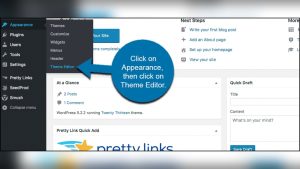
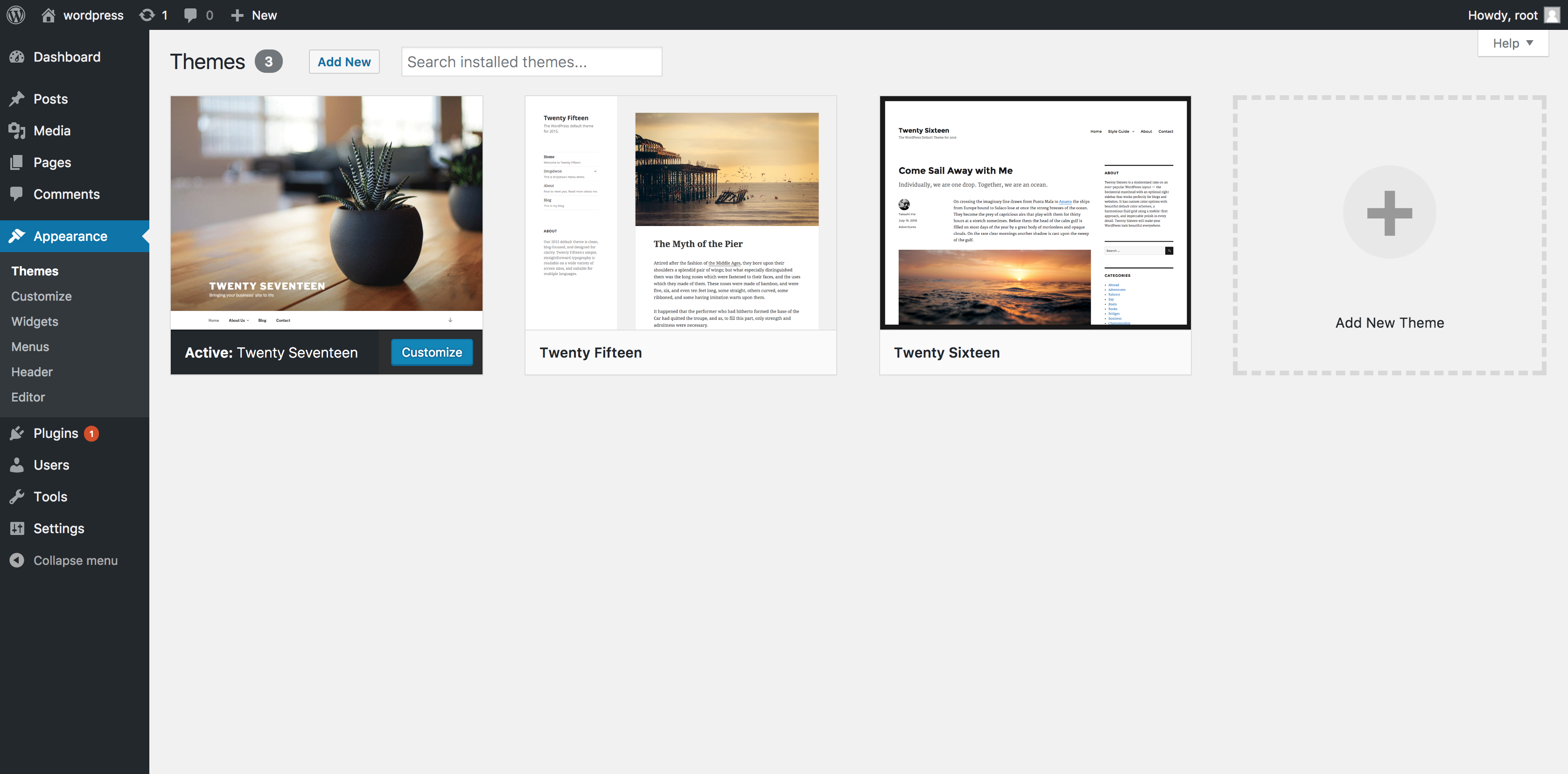
First, log into your WordPress Dashboard. Look for the Appearance section on the left. Click on Themes.
On this page, you will see a button called Add New. Press it. You will now see many themes. Pick one you like. Click on Install.
After installation, click Activate to use the theme. Your site now looks different. Explore the new design.
Download a theme as a .zip file. Go to your Dashboard. Click on Appearance and then Themes.
Press Add New. Then click Upload Theme. Choose the .zip file from your computer. Click Install Now.
Once installed, hit Activate. Your new theme is now live. Enjoy the fresh look.
Customizing Your Theme
The WordPress Customizer is a handy tool. It lets you change your theme’s look. You can adjust colors and fonts. You can also add widgets. This is done in real-time. You see changes instantly. It is easy to use. You do not need coding skills. You can make your site unique. Try different styles and layouts. Preview changes before saving them. Your website can look great with just a few clicks.
Editing theme files gives more control. You can change the code directly. This can be tricky. Some themes are complex. You need to be careful. Mistakes can break your site. Always back up files first. You may need FTP access. Use a child theme for safer edits. This keeps your main theme safe. Know some basics of HTML and CSS. This helps with editing. It is possible to make big changes. Your website can be more personal.
Popular WordPress Theme Frameworks
Genesis Framework is popular for clean and simple designs. It offers many customization options. Users can change layouts easily. This framework is SEO-friendly. It helps websites rank better. Genesis is lightweight and fast. It provides good security features. Many developers trust Genesis. It has a strong community support. Beginners and experts use it for its flexibility.
Bootstrap is a powerful framework for creating responsive themes. It includes many pre-designed elements. This makes design easy. Users can create mobile-friendly sites quickly. It is open-source and free. Many websites use Bootstrap. It has a large support community. Developers love its grid system. It helps in arranging content nicely. Bootstrap is easy for beginners. It offers a consistent look across devices.

Credit: www.youtube.com
Child Themes
Child themes are a safe way to change your website. They allow you to modify your site without changing the main theme. This means your changes stay even after updates. Customization becomes easy and secure. You can add new styles and features. There is no risk to your original theme.
A new folder is needed in your theme’s directory. Use a unique name for this folder. Inside, create a style.css file. This file will hold all your styles. Add another file named functions.php. This file will handle the theme’s functions. Import the parent theme’s style by adding a line in the style.css. This makes sure the child theme gets all the parent’s styles.
Common Theme Issues
Understanding WordPress themes can be tricky. Themes affect the look and feel of your site. Some common issues include compatibility problems and customization challenges.
Troubleshooting Theme Conflicts
Theme conflicts can cause problems on your site. They affect how your site looks and works. Sometimes plugins do not work well with themes. This can break your site. Check for updates to solve these issues. Look at settings for changes. Disable plugins one by one. See if the problem stops. This helps find the conflict. Ask for help from theme support. They know how to fix these problems. Use forums to find answers. Other users may have had the same issues.
Updating Your Theme Safely
Updating themes keeps your site running well. Always backup your site first. This saves your data if something goes wrong. Update themes from the dashboard. This keeps them secure and fast. Look for a child theme. It protects your changes during updates. Read update notes. These tell you what changes are in the update. Test your site after updates. Make sure everything works fine. Avoid updating during busy times. It can disrupt visitors. Schedule updates when traffic is low.

Credit: www.youtube.com
Resources For Learning
Online courses offer structured learning. Many courses are free. Some are paid. You learn at your own pace. Courses cover basics to advanced topics. Video tutorials show step-by-step processes. They are visual and easy to follow. Experts share insights and tips. You can pause and replay videos. This helps in understanding better.
Community forums are helpful. People share knowledge and ideas. Ask questions and get answers. Join discussions. Forums have many active users. Support teams provide technical help. Contact them for theme issues. They respond quickly. Forums and support help solve problems. They are great for learning and support.
Credit: www.namecheap.com
Frequently Asked Questions
What Is A WordPress Theme?
A WordPress theme is a collection of templates and stylesheets. It determines the appearance and functionality of a WordPress site. Themes can be customized to enhance the site’s aesthetics and user experience. They provide a way to change the look of a website without altering its core code.
How Do WordPress Themes Work?
WordPress themes work by defining your site’s layout and design. They control elements like color scheme, typography, and page layout. Themes use a combination of code files, images, and stylesheets. They interact with WordPress to display content in a visually appealing way.
Can I Customize A WordPress Theme?
Yes, you can customize a WordPress theme to suit your needs. Use the WordPress Customizer for basic changes like colors and fonts. For advanced customizations, you might need to edit theme files. Always use a child theme to preserve changes after updates.
Are WordPress Themes Seo Friendly?
Many WordPress themes are designed with SEO in mind. They offer clean code, fast loading times, and responsive design. Choose a theme that supports SEO plugins. Themes with schema markup and optimized headings can improve your site’s search engine rankings.
Conclusion
Understanding WordPress themes is crucial for website design. Themes define your site’s look and feel. Choosing the right theme can enhance user experience. Start by exploring free and premium themes. Consider your site’s purpose and audience. Test theme compatibility with plugins.
Ensure your theme is responsive. A well-chosen theme boosts site functionality. Regular updates keep your theme secure and fast. Focus on simplicity and usability. Avoid cluttered designs. With the right theme, your site will be attractive and efficient. Keep learning and experimenting with different themes.
Your website success depends on it.