Have you ever visited a website and been impressed by its seamless ability to switch languages at the click of a button? As a WordPress user, you might wonder how you can achieve the same multilingual magic for your site.
Whether you’re running a global e-commerce store or a personal blog with international readers, displaying your WordPress theme in different languages can significantly enhance user experience and broaden your audience reach. Imagine your content speaking directly to your audience, in their language, with the nuance and clarity that makes them feel right at home.
The good news is, you don’t have to be a coding wizard to make this happen. In this guide, you’ll discover straightforward steps to transform your WordPress theme into a multilingual masterpiece. By the end of this article, you’ll be equipped with the tools and knowledge needed to captivate and connect with a diverse, global audience. Let’s dive in and unlock the potential of your WordPress site together.
Credit: wpml.org
Setting Up Multilingual Environment
To show your website in many languages, use a language plugin. Popular plugins like WPML and Polylang can help. They let you translate your site’s content. These plugins are easy to install. Most of them have a user-friendly interface. This makes them simple to use for beginners. Choose a plugin that fits your needs. Some plugins are free. Others need a paid plan for more features.
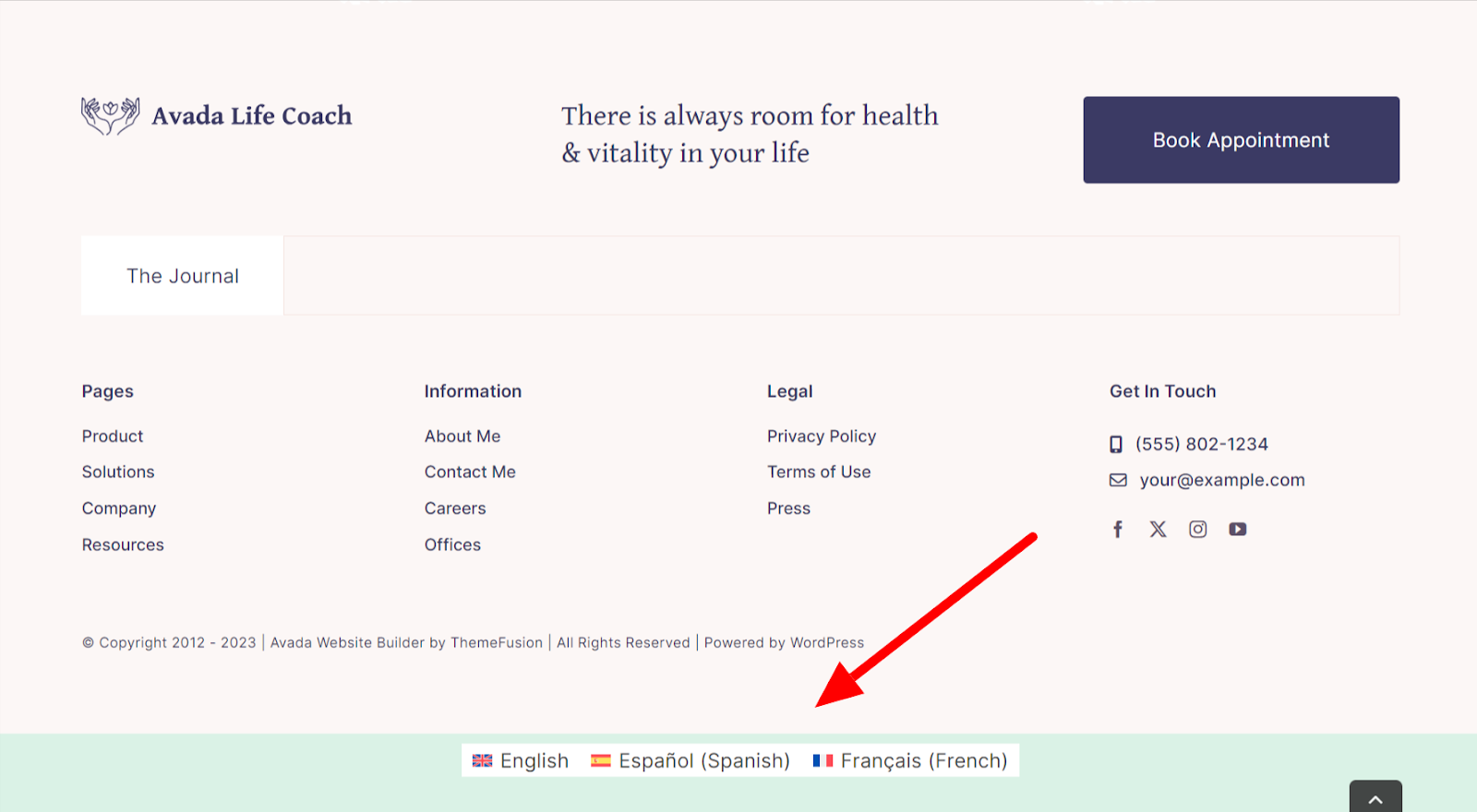
After choosing a plugin, set up the language settings. Select the languages you want to add to your site. Make sure each page has the right translation. Some plugins let you see language flags. Users can click these to change languages. Always check the settings twice. This helps avoid mistakes. Keep the language list short. Too many options can confuse users.
Credit: make.wordpress.org
Translating Theme Content
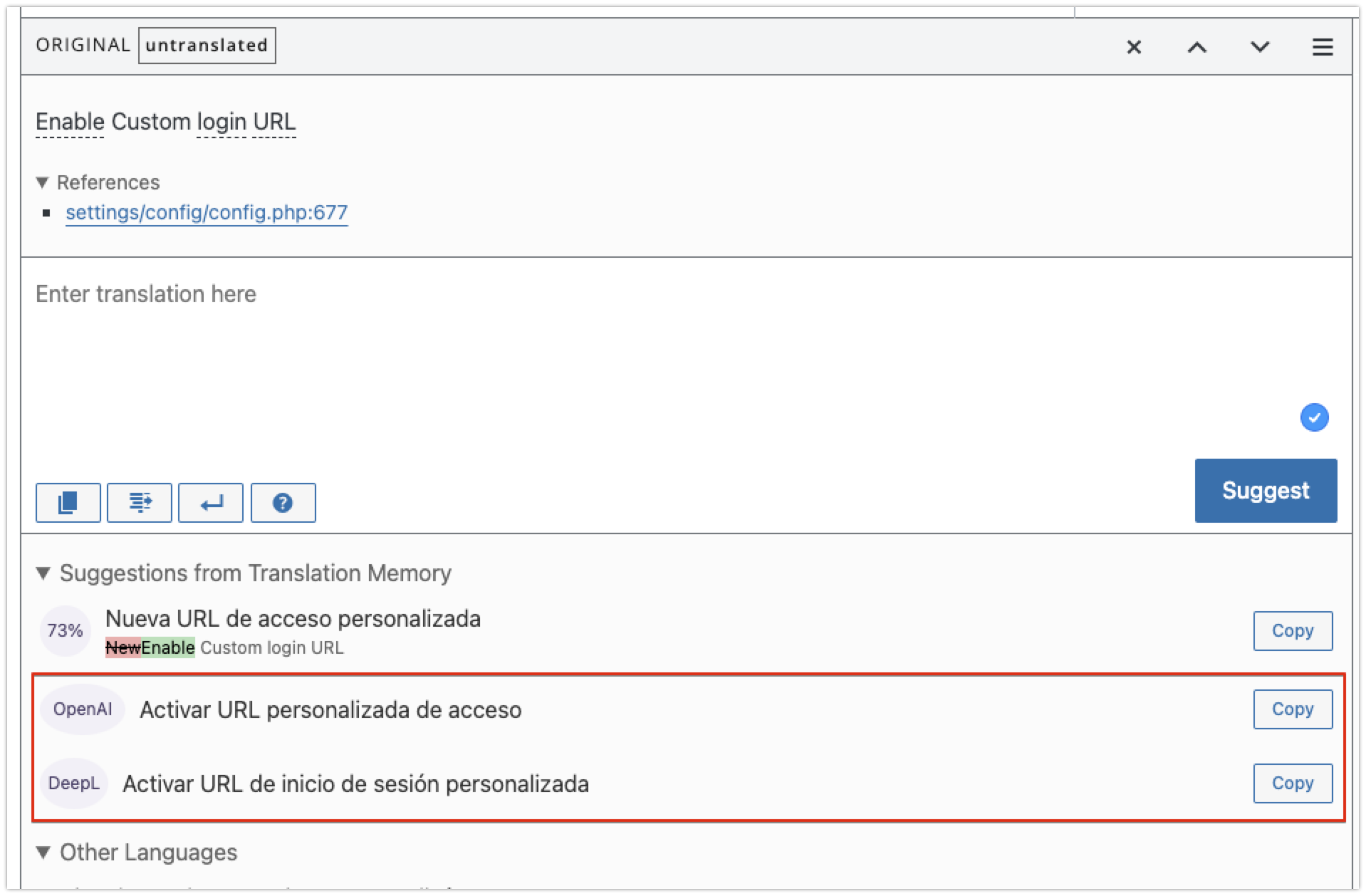
Translation tools help translate theme content easily. These tools can be plugins. They work with WordPress themes. Popular ones are WPML and Polylang. They support many languages. Setup is simple. They guide users step by step. Choose the desired language. Translate each part of the theme. Change headings, menus, and buttons. Make sure translations are accurate. Avoid errors. Tools can auto-translate but need checking. Always proofread translations. This ensures clarity.
Manual translation needs more effort. It involves translating theme files directly. Use a text editor. Open theme files. Locate strings that need translation. Translate them one by one. Keep translations consistent. Use simple words for clarity. Check each translation for mistakes. Save changes carefully. Manual methods are useful for unique languages. They give more control. Ensure all parts of the theme are translated. This includes widgets and footers. Double-check every translation.
Managing Language Files
WordPress themes use special files for language changes. The two main files are .po and .mo. .po files are like dictionaries. They have the English words and their translations. .mo files are like the .po files but in a special format. This format helps the computer read them faster.
You can edit these files to add new words or change translations. Many people use special programs for this. One popular program is Poedit. It’s easy to use and free. Always save your changes in both .po and .mo files. This makes sure your theme shows the right words.
Editing language files needs care. First, open your .po file. Find the word you want to change. Type the new word in the translation box. Remember to save your changes. After editing, make a new .mo file. This file helps WordPress display your changes.
Always backup your files before editing. This protects your work. If something goes wrong, you can use the backup. Editing languages is simple with practice. Soon, your WordPress theme can speak many languages.
Credit: www.wpbeginner.com
Implementing Language Switcher
Transform your WordPress theme with a language switcher to display content in different languages. Enhance user experience by enabling seamless language transitions, ensuring global accessibility. Customize your site easily, making it friendly for visitors from diverse linguistic backgrounds.
Adding Language Switcher Widget
The language switcher lets users change languages easily. First, install a language plugin on WordPress. Choose plugins like Polylang or WPML. These plugins offer many languages. Next, find the widget section in your WordPress dashboard. Add the language switcher widget to your sidebar or footer. This will help users see the switcher easily. Customize the widget to fit your website style. Make sure the switcher is easy to use.
Customizing Language Switcher
Customization helps the switcher look nice. You can change the colors and fonts. Make sure the switcher matches your site design. Add flags or names for each language. This makes it easy to find a language. Check the settings in your plugin. Adjust the settings to improve usability. Test the switcher on different devices. Ensure it works well for everyone.
Testing Multilingual Features
Ensure all text translates to the right language. Use a popular plugin. Check each word and sentence carefully. Some phrases might not translate well. Pay attention to common phrases. They can be tricky. Ask friends to help if possible. They might notice errors you missed. Accurate translation is vital for understanding.
Different browsers show pages differently. Test your site in all major browsers. Chrome, Firefox, and Safari are popular. Also check on mobile browsers. Some themes may not work well on all devices. Adjust settings as needed. Ensure your theme is responsive. This helps users have a good experience. Compatibility is key for multilingual sites.
Optimizing For Seo
Hreflang tags help search engines understand language versions. These tags tell search engines which language you use on a page. This helps users find the right language version. Include these tags in your HTML head. Each language version needs a separate hreflang tag. This helps improve search visibility.
Language-specific URLs make your site more organized. Use a URL structure like example.com/en/ for English. For Spanish, use example.com/es/. This helps users find the right page. It also helps search engines index your site better. This way, users get content in their preferred language. Make sure each version has unique content. Avoid duplicate content issues.
Frequently Asked Questions
How Can I Translate A WordPress Theme?
To translate a WordPress theme, use plugins like WPML or Polylang. These tools help create multilingual websites. You can easily translate theme texts and interface elements. Always ensure your theme is translation-ready for best results.
What Is A Translation-ready WordPress Theme?
A translation-ready theme is designed for easy language changes. It uses language files (. po/. mo) for text translation. This feature allows plugins to translate the theme’s content seamlessly, enhancing user experience across different languages.
Which Plugin Is Best For Multilingual WordPress Sites?
WPML and Polylang are top choices for multilingual sites. WPML offers extensive language support and easy integration. Polylang is free and user-friendly for basic language needs. Both plugins are reliable for creating multilingual WordPress websites.
Can I Use Google Translate For WordPress Themes?
Yes, Google Translate can be used with WordPress. However, it provides automatic translations which might lack accuracy. Plugins like TranslatePress offer more control and precision, allowing manual adjustments to translations for better quality.
Conclusion
Learning to display WordPress themes in different languages enhances user experience. It helps you connect better with a global audience. You can easily follow steps using plugins and settings. This approach ensures your website reaches more users. Language flexibility is important in today’s diverse world.
A multilingual site can attract more visitors. It enhances accessibility and inclusivity. Start adapting your theme to multiple languages. It opens doors to new opportunities. Keep your content clear and simple. A multilingual WordPress site makes communication seamless and effective.
Make your website truly global today.