Choosing a new theme for your WordPress site can feel like a daunting task. You want your website to look amazing, but you also need it to function smoothly.
You’re likely wondering, “How do I pick the perfect theme that fits my brand and keeps visitors engaged? ” Don’t worry; you’re not alone in this. Selecting the right theme is crucial because it affects not only your site’s aesthetics but also its performance and user experience.
Imagine your website as a digital storefront; the theme is like the window display that draws people in. Get it right, and you’ll have visitors glued to your content, eager to explore more. Stick around as we unravel the steps to finding a WordPress theme that not only looks fantastic but also makes your site a joy to navigate.
Choosing The Right Theme
Each website serves a unique purpose. Some share stories. Others sell products. Knowing your site’s goal is crucial. A theme should reflect this purpose. The right design helps users understand your site. A blog might need a simple theme. An online store needs complex features. Remember, the theme sets the mood. Choose wisely.
Who visits your site? The audience matters. Younger visitors like bright themes. Older ones prefer simple designs. Think about their needs. A business site should feel professional. A gaming site can be fun and colorful. A theme should make users feel welcome. It’s all about their experience.
Themes come in different price ranges. Some are free. Others cost money. Decide your budget early. Free themes are good for beginners. Paid themes offer more features. They can be more unique. Spending money on a theme can be an investment. Don’t overspend. Get a theme that fits your budget.
Credit: easywpguide.com
Exploring Theme Options
Free themes are cost-effective. They offer basic designs. Updates might be slow. Support is often limited. Premium themes cost money. They have more features and designs. Updates are regular. Support is usually better. Choose based on your needs and budget.
WordPress has many theme marketplaces. The official WordPress repository offers free themes. ThemeForest is popular for premium themes. There are others like MOJO Marketplace and TemplateMonster. Each offers a variety of designs. Always check reviews before buying. Ensure themes are responsive and SEO-friendly.
Elegant Themes is famous for Divi. It’s a versatile theme. StudioPress offers Genesis Framework. Known for its speed and security. ThemeIsle has popular themes like Neve. MyThemeShop provides fast-loading themes. Each provider has unique designs. Pick one that matches your style.
Evaluating Theme Features
A good theme should look great on all devices. Phones, tablets, and computers. This is called responsive design. It means the theme adapts to different screen sizes. Users will have a smooth experience. Nobody wants a messy site. Easy navigation is key.
Themes should offer many customization options. Change colors, fonts, and layouts easily. Personalize the site without coding. This makes the site unique. Stand out from other websites. A flexible theme is always better.
A theme should help with SEO. This means it’s easy for search engines to find your site. Good SEO leads to more visitors. The theme should load quickly. Speed is important for search rankings. It should also be built with clean code. This helps search engines understand your content.
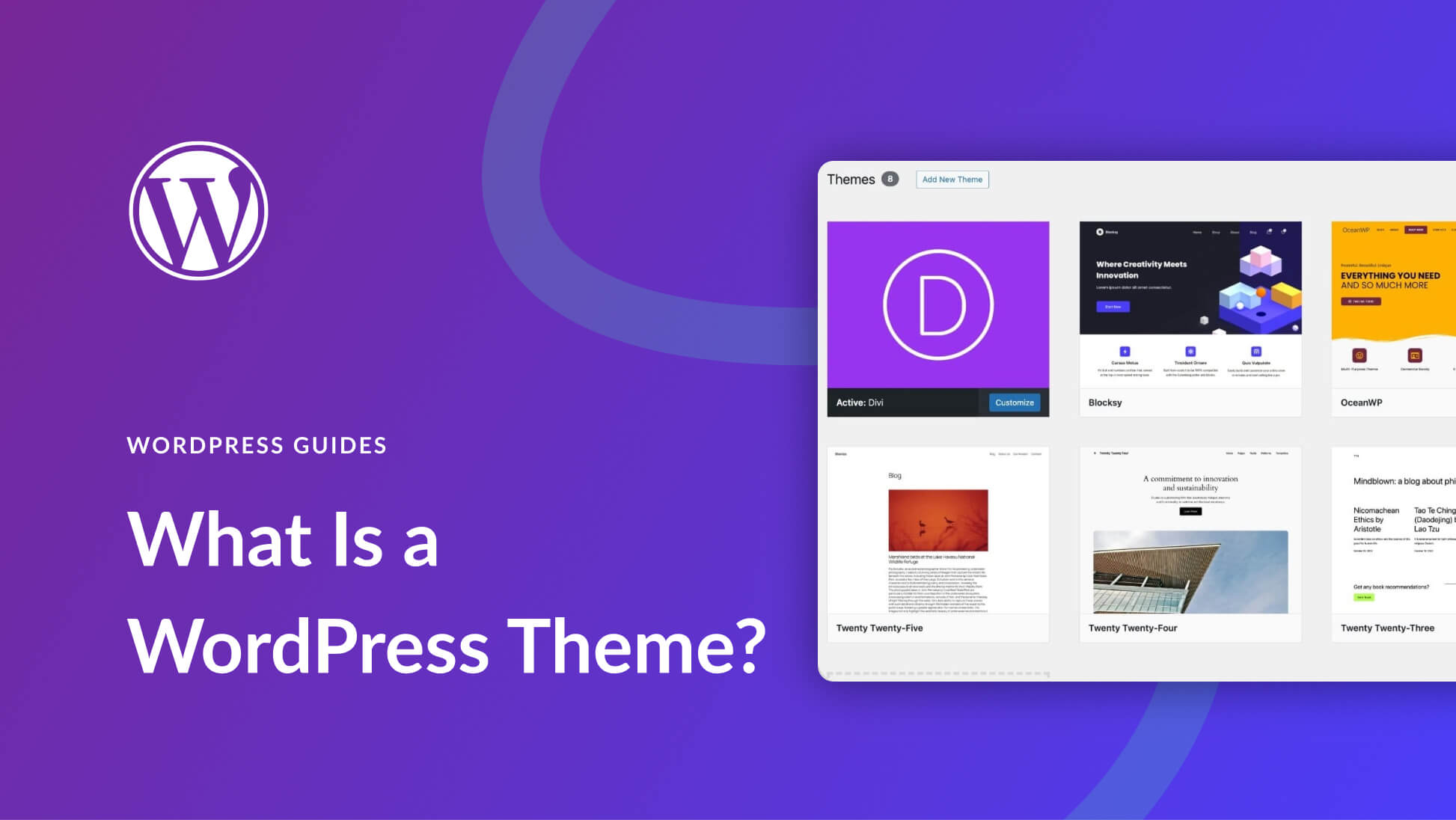
Credit: www.elegantthemes.com
Testing Theme Compatibility
Browser compatibility is vital. Themes should work on Chrome, Firefox, and Safari. Check if the theme looks good on all browsers. Sometimes themes might break or look odd.
Plugin support is important too. Themes should support popular plugins. Plugins like Yoast SEO or WooCommerce need to work well. Some themes might not support all plugins.
Speed and performance are crucial. Slow themes can annoy visitors. Use tools like Google PageSpeed. Check theme speed before using it. Slow themes can harm user experience.
Installing And Activating Themes
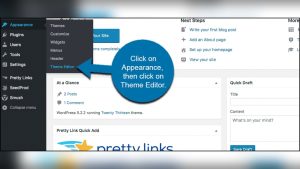
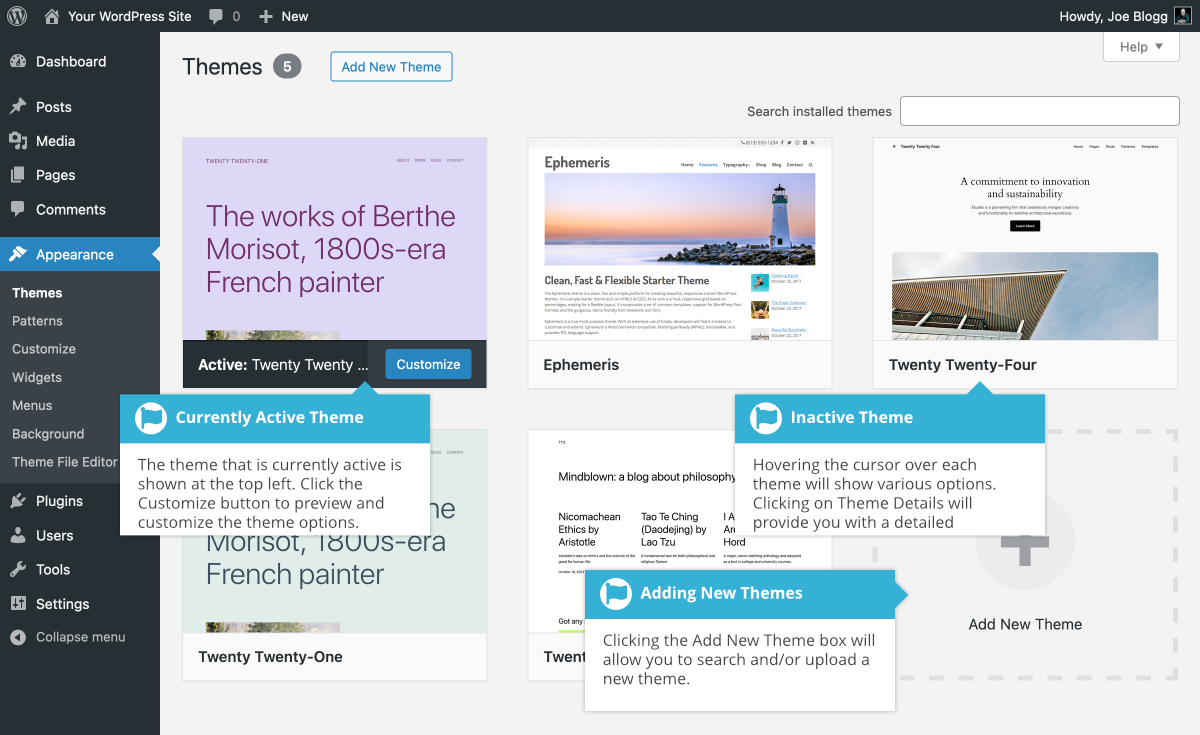
Start by logging into your WordPress Dashboard. Look for the Appearance tab on the left side. Click on it and then select Themes. You will see a button that says Add New. Click it to explore the many themes available. You can use the search bar to find a theme you like. Once you find one, hover over it and click Install. After installation, click Activate to make it your new theme.
Download a theme file from a trusted source. It should be in a .zip format. Go to your WordPress Dashboard. Again, click on Appearance, then Themes. Hit the Add New button, but this time choose Upload Theme. Use the Choose File button to select your .zip file. Click Install Now and wait for it to upload. Once done, click Activate to use it.
Customizing Your Theme
Select a layout that fits your needs. You can choose from many options. Change the color scheme to match your style. Make sure the font is easy to read. Adjust the header and footer to your liking. Always check the mobile view. It should look good on all devices.
Add your logo at the top. It helps people know your brand. Use your brand colors in the theme. This makes it look consistent. Add a favicon to the browser tab. It makes your site look professional. Add a custom background if needed. It adds a personal touch.
Widgets add extra features to your site. You can use them for social media links. Plugins help with different tasks. They can improve speed or security. Choose plugins that are popular and have good reviews. Always keep them updated. This helps keep your site safe.
Seeking Support And Updates
Choosing a new theme on WordPress involves exploring the theme directory for designs that fit your website’s style. Preview themes to see how they’ll look on your site, ensuring they match your brand. Install and activate your selected theme, then customize it to suit your needs.
Accessing Theme Support
Theme support helps you solve problems. It’s important for troubleshooting. Look for themes with active support. They have forums and help guides. Check for customer reviews. See what others say. Responsive support can save time.
Staying Updated With New Releases
Updates keep themes secure. They add new features. Regular updates show developer commitment. Check how often a theme updates. Frequent updates are good. Stay safe and current with latest releases. It’s important for site health.
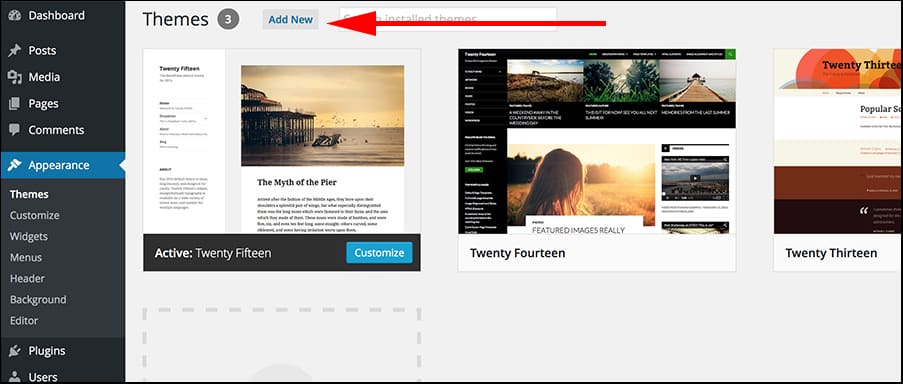
Credit: www.greengeeks.com
Frequently Asked Questions
How Do I Change My WordPress Theme?
To change your WordPress theme, log in to your dashboard. Go to “Appearance” and then “Themes. ” Browse available themes or upload a new one. Click “Activate” to switch your theme. Always preview before activating to ensure it meets your needs.
What To Consider When Choosing A WordPress Theme?
Consider responsiveness, speed, customization options, and support. Ensure it’s compatible with essential plugins. Check reviews and ratings for user feedback. A well-coded theme enhances performance and SEO. Choose a theme that aligns with your brand and content goals.
Can Changing Themes Affect My Website Seo?
Yes, changing themes can affect SEO. A new theme might alter site structure or load speed. Ensure your new theme is SEO-friendly, maintains current SEO settings, and loads quickly. Always back up your site before making changes to minimize risks.
How To Preview A WordPress Theme Before Activating?
To preview a WordPress theme, go to “Appearance” and “Themes” in your dashboard. Hover over the theme you want and click “Live Preview. ” This lets you see how your site will look without activating the theme. It’s a great way to test compatibility and design.
Conclusion
Selecting a new WordPress theme involves careful consideration. Prioritize your site’s needs and goals. Choose a theme that aligns with your brand. Ensure it is responsive and easy to customize. Review ratings and user feedback for insights. Test the theme’s speed and compatibility.
Make sure it supports necessary plugins. Explore its demo to understand its features. With these tips, finding the right theme becomes simpler. A well-chosen theme enhances your site’s appearance and function. It also improves user experience and engagement. Remember, a good theme is a foundation for your site’s success.