
Are you struggling to get your WordPress site noticed by search engines? The secret might lie in something as simple as your home page title tags.
These tags are a crucial part of your website’s SEO, affecting how your site appears in search results. If they’re not set up correctly, you could be missing out on valuable traffic. Imagine your site finally ranking higher in search results, attracting more visitors, and growing your audience effortlessly.
In this guide, we’ll walk you through the steps to fix your WordPress theme’s home page title tags. You’ll learn straightforward techniques to optimize them, ensuring your site gets the attention it deserves. Let’s dive in and unlock the potential of your website together.
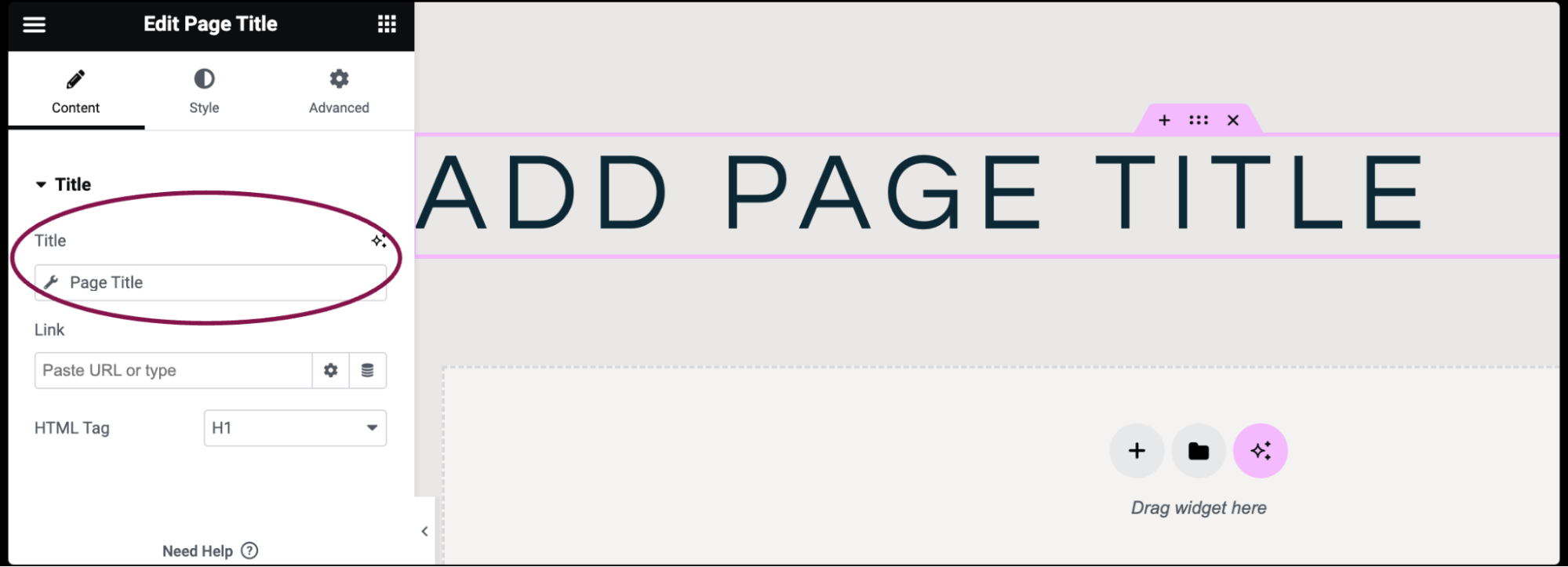
Credit: elementor.com
Common Issues With Title Tags
Sometimes, the home page title tag is not present. This makes the page less visible in search engines. Title tags are crucial for SEO. Ensure every page has a title tag. Use a plugin to check for missing tags. Fixing this can help improve your site’s visibility.
Duplicate title tags confuse search engines. They can lower your site’s rank. Each page should have a unique title tag. Check your site for duplicate tags. Use tools or plugins to find them. Change duplicate tags to unique ones. This helps search engines understand your site better.
Incorrect formatting can hurt SEO. Title tags should be clear and concise. Use keywords in the title tag. Keep them under 60 characters. Avoid stuffing too many words. Proper format helps search engines and users. Correct formatting can improve your site’s search rank.
Checking Current Title Tags
SEO plugins help find title tag issues. They show missing or duplicate tags. Popular plugins like Yoast SEO and All in One SEO are very useful. Install them from the WordPress plugin directory. Once installed, check the plugin settings. Look for the title tag section. Plugins often suggest how to fix problems. Follow their advice to improve your site’s title tags.
Viewing the source code shows title tags directly. Right-click on the webpage and select “View Page Source”. Use the search function to find
Setting Up Seo Plugins
Picking the right SEO plugin is crucial. Yoast SEO and All in One SEO Pack are popular choices. Both are easy to use and have helpful features. They make your site better by improving title tags and meta descriptions. You can find these plugins in the WordPress plugin directory. Always check reviews and ratings before downloading. Make sure the plugin is updated regularly. This helps keep your website safe and efficient.
After installing the plugin, go to the settings page. Look for the title tag section. Here, you can set how titles appear on search engines. Use keywords in your title. Make sure they are relevant to your content. This helps search engines understand your site. Customize the settings to match your website’s needs. Always save changes after you adjust settings.
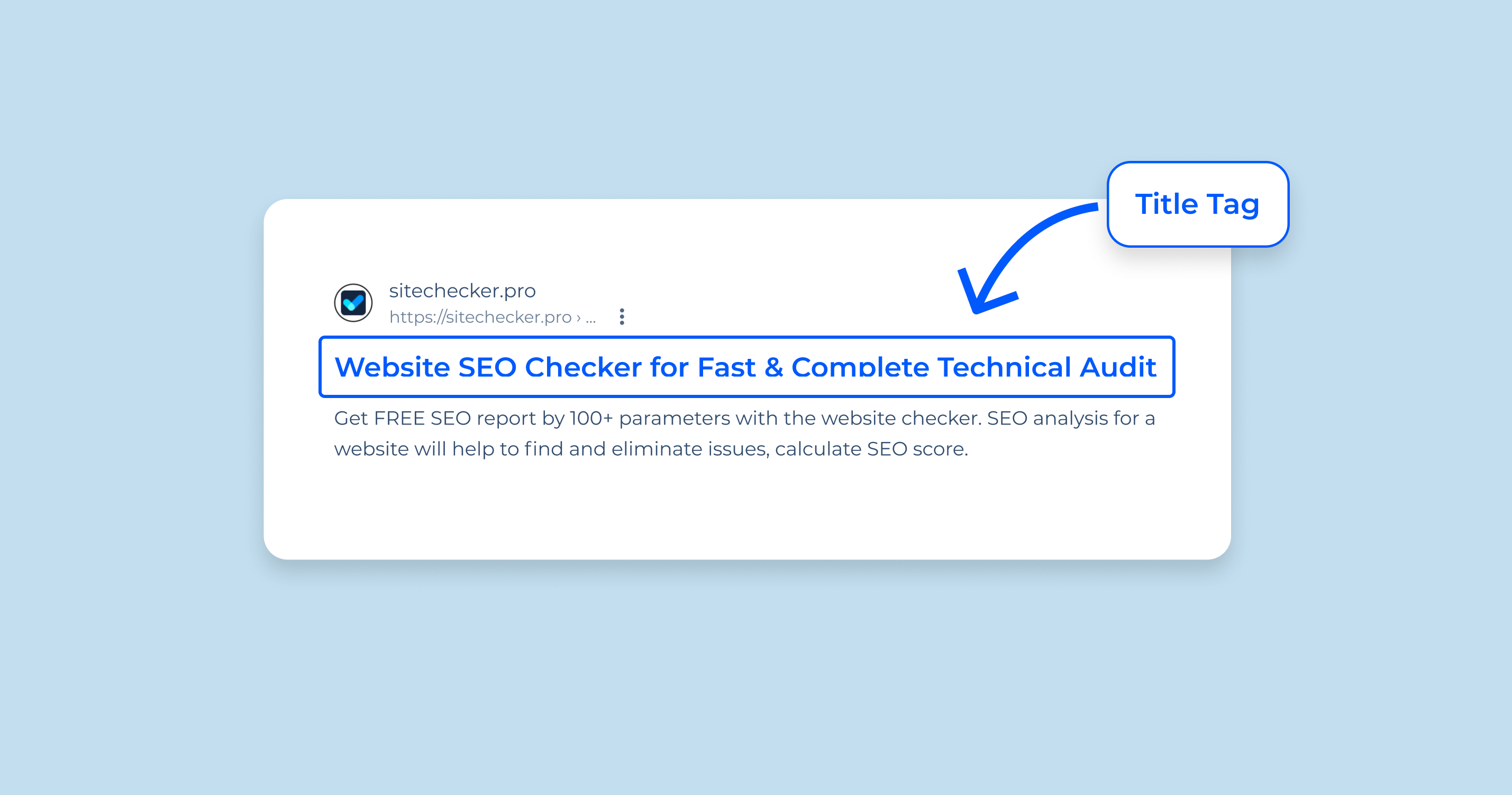
Credit: sitechecker.pro
Manual Title Tag Editing
Find your WordPress dashboard. Look for Appearance in the side menu. Click on it. Then select Theme Editor. It may show a warning. Don’t worry. Click “I Understand”. Now you can see the code files.
Locate the header.php file in the editor. You may find it on the right side. Click on it to open. Look for the
Testing Changes
Fixing WordPress theme home page title tags involves accessing the theme editor. Locate the header. php file. Modify the title tag section to include dynamic text. Ensure proper SEO optimization by using relevant keywords. This enhances visibility and attracts more visitors to your site.
Refreshing Browser Cache
Sometimes changes don’t show right away. Refreshing the browser cache can help. Press Ctrl + F5 on your keyboard. This forces the browser to reload the page. This clears old data. Now, see if the title tag is right.
Using Seo Analysis Tools
SEO tools are useful for checking title tags. Tools like Google Search Console and Yoast SEO can help. They show if the title tag is working. They also give tips to make it better. These tools are easy to use. Follow the steps they give. Fix any issues they find. This makes the website better for users.
Best Practices For Title Tags
Put the main keyword at the start of the title. This helps search engines find it easily. Use simple words. Make it clear what the page is about. Avoid stuffing too many keywords. This can confuse readers.
Titles should be 50-60 characters long. This fits well in search results. Short titles are easier to read. Keep it concise. Avoid cutting off important words. Readers should understand the title quickly.
Add your brand name at the end of the title. This helps build trust. People remember familiar brands. Don’t make it too long. Keep it simple. Use the same format on all pages. Consistency is key.
Troubleshooting Persistent Issues
Sometimes, a theme update causes problems. Issues with title tags may arise. Reverting to an older version often helps. Start by locating the theme’s previous version. Download it from the theme’s repository. Next, go to your WordPress dashboard. Find the theme section and deactivate the current theme. Upload the older version and activate it. Check if the title tags are fixed. Sometimes, the issue resolves quickly. If not, further steps may be needed.
When issues persist, consulting with developer support can be useful. Developers have insights into theme functionalities. They may provide solutions to fix title tags. Contact them through the theme’s support page. Share detailed information about the problem. Include screenshots if possible. Developers often respond with helpful advice. Follow their guidance to fix the issue. Sometimes, they offer updates or patches. These can resolve the title tag issue effectively.

Credit: docs.presscustomizr.com
Frequently Asked Questions
How Do I Change The Home Page Title In WordPress?
To change the home page title, go to the WordPress dashboard. Navigate to “Settings” and then “General. ” Modify the “Site Title” field. Ensure you save the changes. This updates the title tag of your home page, making it more descriptive and SEO-friendly.
Why Is My WordPress Theme Title Tag Incorrect?
Incorrect title tags may arise from theme settings or plugins. Check the theme’s customization options. Some plugins, like SEO plugins, can override titles. Adjust settings within these plugins to ensure your title tags display correctly on your WordPress site’s home page.
Can Plugins Help Fix WordPress Title Tags?
Yes, plugins like Yoast SEO or All in One SEO can help. They allow customization of title tags. These plugins provide an easy interface to manage and optimize your title tags. Ensure they’re configured properly to reflect the desired changes on your home page.
Does Changing Title Tags Affect Seo?
Yes, changing title tags can impact SEO. Title tags are crucial for search engine rankings. They influence how search engines interpret your page’s content. Ensure your title tags are relevant and include keywords. This helps improve your site’s visibility and attract more organic traffic.
Conclusion
Fixing WordPress theme home page title tags boosts your site’s visibility. A clear and concise title tag improves search engine ranking. It’s essential for drawing more visitors to your website. Remember to keep your title tags relevant and specific. This helps search engines understand your content better.
Regularly review and update your title tags for optimal results. Small adjustments can make a big difference in traffic. Stay consistent with your efforts. Over time, you’ll see improvements in your website’s performance. Happy optimizing!


