Are you curious about who is hosting a particular website? Maybe you’re interested in learning more about a competitor’s online strategy or you simply want to switch your own web hosting provider.
Whatever your reason, uncovering the web host behind a site can offer valuable insights and opportunities. Imagine having the power to peek behind the digital curtain of any website. Understanding who hosts it can give you a strategic edge, whether you’re planning your next big move or just satisfying your curiosity.
This guide will walk you through simple steps to discover that crucial piece of information. Stick around, and you’ll unlock the mystery of web hosting with ease, empowering you to make informed decisions for your online presence.
Credit: securitysenses.com
Why Knowing Your Web Host Matters
Choosing the right web host is crucial. It affects your website’s speed and security. A good host ensures your site loads fast. Slow sites lose visitors quickly. Security is also a key factor. A reliable host protects your data. This prevents hacking and data loss. You can focus on growing your site. With a good host, you gain peace of mind.
Support is another important aspect. Quality hosts offer 24/7 help. They fix problems fast. You won’t feel lost if issues arise. This support can save you time and stress. Make sure to know who your web host is. It’s essential for your site’s success.

Credit: www.nameboy.com
Common Reasons To Identify A Web Host
Knowing who hosts a website can be very useful. First, it helps when facing technical issues. You can reach out to the host for help. Second, it aids in finding better hosting options if the current one is slow. Third, it can be essential for business decisions. You might want to partner with or avoid certain hosts. Fourth, web hosts can provide insights into a website’s credibility. A well-known host usually means trust. Fifth, knowing the host is helpful for security reasons. You can check if the host has a good security record. Finally, it can be important for legal reasons. If there is a dispute, knowing the host is crucial.
Using Whois Lookup Tools
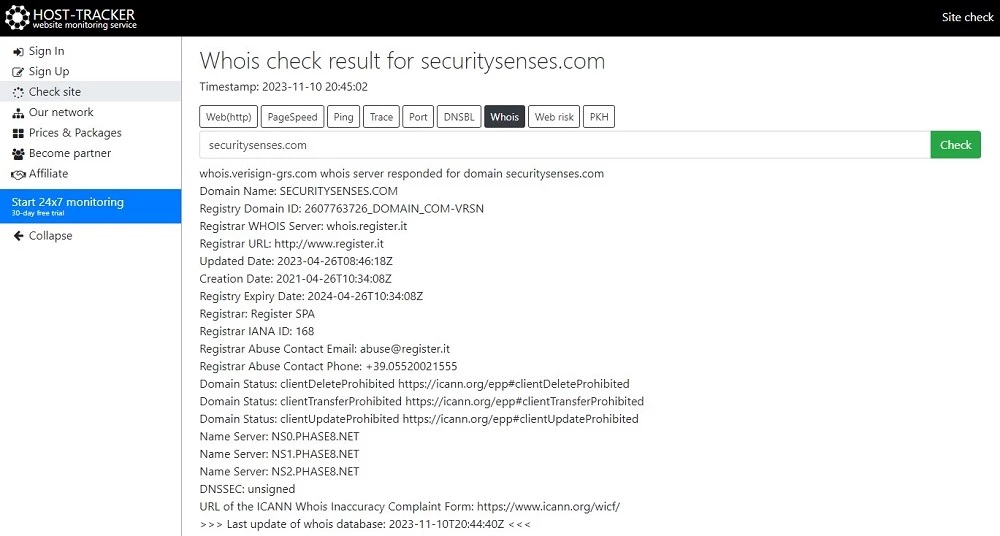
WHOIS tools help find out who hosts a website. These tools search domain records. They show details like the web host and domain owner. Type the website URL in the tool’s search bar. Then click search. In seconds, you get results. You see the web host name and contact info. Some tools are free. Others might need a small fee. Many websites offer WHOIS services. They are easy to find online. Always check the information carefully. Sometimes details might be outdated. It’s good to try more than one tool. This way, you confirm the information is correct. Using WHOIS tools is simple and fast. It helps you find the web host quickly.
Exploring Domain Registration Details
To find out who hosts a website, visit a WHOIS lookup site. These sites offer information about domain registration details. Enter the website’s URL in the search box. Then, you will see details about the domain’s owner. This includes the registrar, hosting company, and contact information.
WHOIS databases are like phone books for the internet. They provide public information about domain names. Some details might be hidden for privacy reasons. In those cases, you may not see the owner’s name or contact.
Checking Website Hosting Information
Website metadata often holds clues about hosting. Check the page source for meta tags. Look for tags like meta name="generator". They can hint at the host. Inspect the HTTP headers too. These headers sometimes reveal hosting info. Tools like browser inspector can help. Metadata can guide you in finding hosting details. It’s a treasure map for tech detectives.
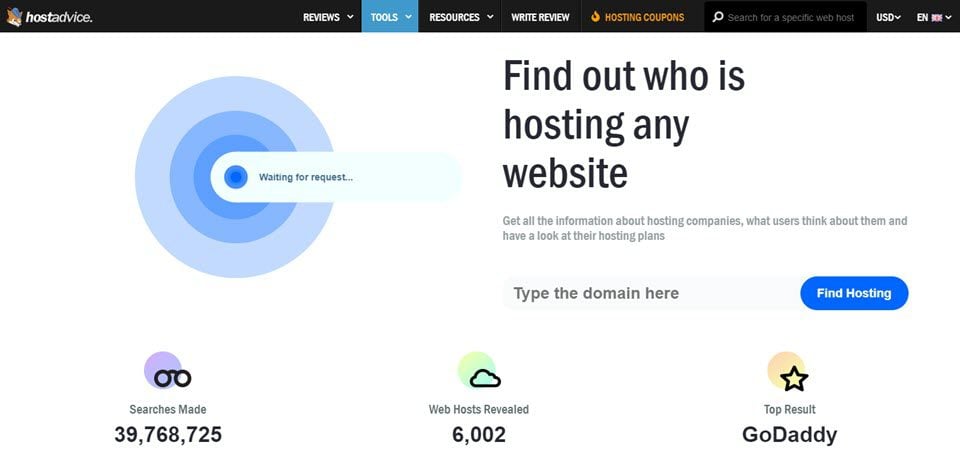
Online host checkers are handy tools. Enter the website URL in these tools. They find the hosting provider quickly. Popular tools include WhoIs and Hosting Checker. These tools scan various databases. They tell you the host name. Results appear in seconds. They are easy to use. Even beginners find them helpful. Reliable and fast.
Investigating Ip Address Ownership
Finding out who owns an IP address is easy. First, you can use online tools like Whois Lookup. These tools show the owner of the IP address. You can see details about the web host. You can also learn about the server location. This is very helpful.
Another way is to use the command prompt. On your computer, type “tracert” followed by the website URL. This shows the path to the website. It also reveals the IP address. You can then check this IP with a Whois service. This helps in finding the web host.
Utilizing Web Hosting Support
The best way to know your web host is to contact customer service. Most hosting providers have a support team. They are ready to help you. Check their website for a phone number or email. You can also use live chat. Explain your query clearly. They will guide you. Make sure to have your account details ready. This helps them assist you faster.
Many hosts offer control panels like cPanel or Plesk. These panels help manage your hosting account. Log in with your credentials. Here, you can find information about your host. Look for sections like “Account Info” or “Server Details.” This will show you who your web host is. If unsure, ask support for help.
Leveraging Search Engines
Start by opening Google. Type in the website name. Add “whois” next to it. This shows who hosts the site. It’s easy and quick. Use clear words for better results. Google’s search box is your friend. Try different words if needed. This helps find the right host. Always check the first few results. They have the best information. Make sure to read carefully.
Tech forums are helpful places. Many people share tips there. Search for hosting questions. Look for answers from experts. Read the comments. They often have good advice. Forums like Reddit can help. People ask about web hosts often. Use the search bar in forums. Type the website name and host. You’ll find helpful discussions. Join the chat if needed. People like to help others.
Evaluating Hosting Provider Reputation
A hosting provider’s reputation is very important. Reviews and ratings tell a lot about a company. Check customer feedback on trusted websites. Look for consistent positive or negative comments. This helps in understanding real user experiences.
Forums and discussion boards are also helpful. People share their honest opinions there. Ask questions if you need specific information. Compare opinions from different sources. This gives a balanced view of the provider’s reputation.
Awards and certifications can be indicators of quality. Some hosting providers highlight these on their websites. Recognition from industry leaders adds to their credibility. Always verify these claims for accuracy.
Credit: www.elegantthemes.com
Future Considerations For Web Hosting
Choosing a web host is important. Needs may change over time. A host should offer scalability. This means your site can grow. Also, make sure they provide good customer support. Problems can happen anytime. Fast support is key. Look for security features too. Keep your site safe from threats. Check for regular backups. Data loss can be a big issue. Ensure your host has a backup plan. Consider cost as well. Some plans start cheap but increase later. Read all the terms carefully. Finally, think about server location. A nearby server can make your site load faster. These factors help in choosing the right web host.
Frequently Asked Questions
How Do I Find The Owner Of A Hostname?
Use online tools like WHOIS to find hostname ownership details. Enter the hostname to retrieve registration information.
How Do You Find Out Who Owns A Website?
To discover a website’s owner, use WHOIS lookup tools like ICANN or Whois. com. These tools reveal registration details. Alternatively, visit the website’s “Contact” or “About” page for ownership information. If privacy protection is enabled, contact the registrar for further assistance.
How Do I Find My Host Provider?
Check your website’s WHOIS data for host details. Visit your registrar’s website or use online WHOIS lookup tools. Alternatively, check your email records for hosting provider communications. Contact technical support for assistance if necessary.
How Can I Find My Host?
Check your hosting account dashboard or contact your domain registrar for host details. Use online tools like WHOIS to find hosting information. Access your website’s control panel for host details. Consult your website developer or IT team for assistance.
Conclusion
Finding out who hosts a website is simple. Use online tools to uncover this information. They offer quick insights into hosting details. Check the domain’s registration for more clues. Hosting companies often list contact info. This helps with further inquiries.
Remember, knowing a host is useful for web management. It aids in troubleshooting site issues. Understanding hosting can enhance your web experience. Stay informed about your site’s host. It ensures smoother digital operations. Keep exploring the web with confidence. Your site deserves the best care and attention.