Building a WordPress website using a theme is easier than you might think, even if you’re not a tech wizard. Imagine having the power to create a stunning, professional website without needing to write a single line of code.
With WordPress themes, this is entirely possible—and simpler than you expect. You’re probably wondering how to start or what steps to take to make your website truly reflect your brand or personal style. The good news is, you’re about to discover a step-by-step guide that takes the guesswork out of the process.
This article will walk you through everything you need to know—from choosing the right theme to customizing it to fit your needs. By the end, you’ll have a website that not only looks great but functions beautifully. Stick around, because you’re about to unlock the secrets to building a WordPress site that stands out and captivates your audience.
Choosing The Right Theme
Picking a theme matters a lot. It affects your site’s look and feel. First, check if the theme is responsive. This means it looks good on phones and computers. Next, think about customization. Can you change colors and fonts easily? Also, look at the reviews. Good reviews mean people like the theme.
Free themes cost nothing. They are great for beginners. But they may have limited features. Premium themes cost money. They often offer more options and better support. Think about your needs. Sometimes, spending a little helps a lot.
WordPress has a theme directory. It is a good place to start. You can find many themes there. Another option is third-party websites. Sites like ThemeForest and Elegant Themes have many choices. Always download themes from trusted sources.
Installing WordPress
Choose a domain name that fits your website. Pick a hosting provider that supports WordPress. Register your domain with the hosting provider. Connect your domain to the hosting. This step is crucial. Your website needs both. Check domain availability before purchase. Hosting plans vary. Choose one according to your needs. Shared hosting is cheaper but slower. Dedicated hosting is faster but costly. Make sure to choose wisely.
Log in to your hosting account. Find the WordPress installer in the control panel. Click to start installation. Follow the steps shown. Create a username and password for WordPress. Choose a site title. This can be changed later. Select your desired language. The installation will complete in minutes. WordPress will be ready for use. Start building your website. Install a theme to design it. Themes give your site a look. Choose one that fits your brand.
Installing Your Theme
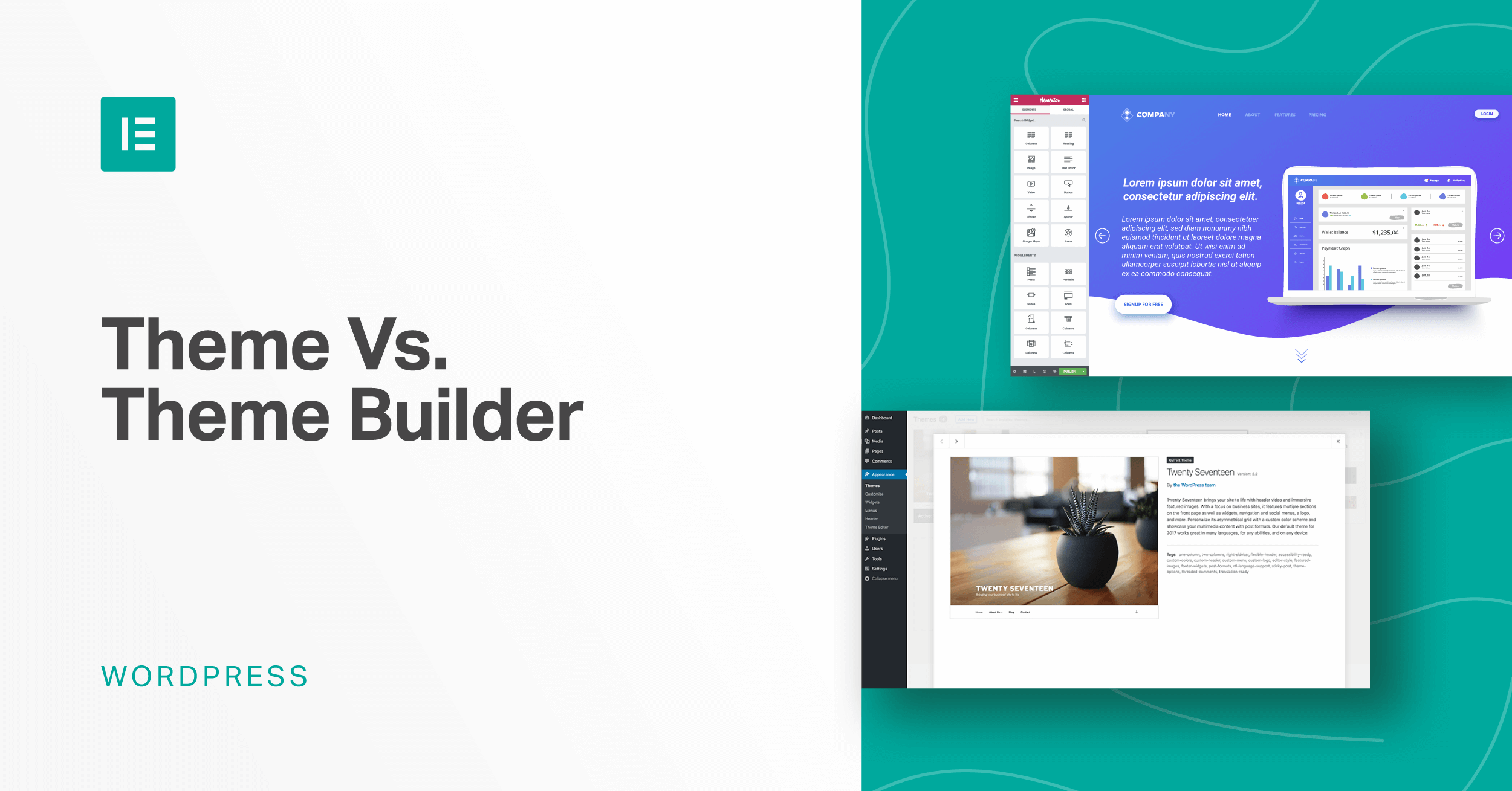
First, log into your WordPress dashboard. Look for the Appearance tab. Click it, then choose Themes. Click the Add New button. You will see the Upload Theme button. Choose your theme file. Upload it. Once uploaded, click Activate. Your theme is now live. Easy, right?
Go to the Customize section. It’s under the Appearance tab. Here, change the site title and tagline. Pick a color scheme you like. Set your homepage. Choose a static page if you want. Save changes. Your website is ready for visitors!
Credit: elementor.com
Customizing Your Theme
The WordPress Customizer is easy to use. It helps change your website’s look. You can find it in the dashboard. Click on “Appearance” then “Customize”. You can see changes live. It makes customizing fun and easy. You don’t need to know coding.
Colors make your site unique. Choose your favorite colors. Fonts change how words look. Pick a font that’s easy to read. Bold and italic styles can add emphasis. Mix colors and fonts for a nice look. Your site will be special.
Layouts decide where things go on a page. Choose a layout that fits your style. Widgets add special features. They can show recent posts or a calendar. Move them around with drag and drop. Make your site work the way you like.
Adding Essential Plugins
SEO plugins help your site show on search engines. Yoast SEO is a popular choice. It guides you to write better. Use it to add keywords and meta tags. This makes your site easy to find.
For security plugins, protect your website from hackers. Install Wordfence or Sucuri. They guard your site from attacks. These plugins keep your data safe.
Performance plugins make your site fast. A slow site loses visitors. Use WP Super Cache or W3 Total Cache. They speed up your site by storing files. Visitors will enjoy quick loading pages.

Credit: fullsiteediting.com
Creating Content
Start by creating new pages for your website. Pages are static. They do not change often. Posts are for updates or news. You can add a new post any time. Use the WordPress editor to write. It is simple and easy to use. Add titles and content. Make sure your words are clear. You can save and preview your work. When ready, publish it for others to see.
Organize your posts with categories and tags. Categories group similar posts together. Tags help find related posts. You can choose one category per post. Tags can be many. They should be short and specific. This makes your website neat. Visitors find what they want quickly.
Pictures and videos make your site fun. You can add media using the media library. Upload files from your computer. Choose the file size wisely. Big files take long to load. Use good names for files. This helps search engines find them. You can also add captions. This gives more info about the picture or video.
Testing Your Website
Make sure your website works on all devices. Check it on phones, tablets, and computers. Use responsive design tools to see how it looks. Many themes have this feature. Adjustments might be needed for images and text. Responsive websites keep users happy.
Websites must work on all browsers. Test it on Chrome, Firefox, Safari, and Edge. Some features may not work on all browsers. Use browser developer tools to check. Fix any issues for a smooth user experience. A compatible website reaches more people.
Fast websites make users stay longer. Slow ones lose visitors. Check your site’s speed using online tools. Optimize images and files to load faster. Speed affects search rankings too. Keep your site light and quick. A fast website is a happy website.
Launching Your Site
Create your WordPress site effortlessly by selecting a suitable theme. Customize it to match your style and needs. Add essential plugins to enhance functionality and improve user experience.
Final Checks Before Launch
Before launching, ensure all pages are complete. Check each link to confirm they work. Make sure images load properly. Verify your site’s speed. A slow site can lose visitors. Look for spelling errors. Fix them to make your site professional. Test your website on different devices. This includes phones and tablets. Your site should look good everywhere.
Back up your website. Save a copy of all data. This keeps your work safe. Make sure your contact forms work. Users should easily reach you. Check your site’s SEO settings. Use keywords wisely. They help people find your site.
Promoting Your Website
Tell friends about your site. Use social media to share it. Post links on Facebook or Twitter. Ask followers to visit. Write a short post about your site. This can attract more users. Share your website link in emails. Tell people why your site is useful.
Join forums or online groups. Talk about your site there. Make sure it’s relevant to their interests. Offer special content or discounts. This can bring more visitors. Use these strategies to grow your audience. Your website will soon be popular.
Maintaining Your WordPress Site
Building a WordPress website starts with choosing the right theme. Themes shape your site’s look and feel. Customize it to match your style and needs. Widgets and plugins add functionality. Keep everything updated for smooth performance.
Regular Updates And Backups
Update your WordPress site regularly. New updates fix bugs and improve security. Use backup tools to save your site’s data. Backups help you recover lost data. Use plugins for automatic backups. Always keep a backup copy.
Monitoring Performance
Check your site’s speed often. Use tools like Google PageSpeed Insights. A slow site can lose visitors. Optimize images and reduce plugins. Fast sites keep users happy. Performance affects your site’s success.
Handling Security Issues
Protect your site from threats. Use strong passwords. Install security plugins. Regularly scan for malware. Keep themes and plugins updated. Report any suspicious activity. Security is vital for a safe site.
Credit: www.youtube.com
Frequently Asked Questions
What Is A WordPress Theme?
A WordPress theme is a collection of templates and stylesheets. It defines the appearance and display of a WordPress website. Themes allow users to customize their site’s design without altering the underlying code. They provide a consistent look and feel across different pages.
How Do I Choose A WordPress Theme?
Choosing a WordPress theme involves considering your website’s purpose and audience. Look for responsive designs that work on all devices. Check for customization options and plugin compatibility. Read user reviews and ensure regular updates from the developer.
Can I Customize A WordPress Theme?
Yes, you can customize a WordPress theme using the WordPress Customizer. You can change colors, fonts, and layout options. Many themes offer extensive customization without coding. For advanced changes, you can use CSS or child themes.
Are WordPress Themes Free?
There are both free and premium WordPress themes available. Free themes offer basic features and are available in the WordPress repository. Premium themes come with advanced features, dedicated support, and regular updates. Choose based on your budget and requirements.
Conclusion
Building a WordPress website with a theme is straightforward. Choose a theme that fits your site’s purpose. Install it and customize to match your vision. Add pages, posts, and plugins to enhance functionality. Make sure your site is user-friendly and easy to navigate.
Regular updates keep your site secure and running smoothly. Use SEO practices to help users find your site online. This process can seem complex, but with patience, it becomes manageable. Your new website can grow with your needs and goals.
Enjoy the journey of creating your online space!