Are you ready to bring your ideas to life online? Building a website doesn’t have to be complicated or expensive.
With WordPress themes, you can create a stunning and professional-looking site with ease. Whether you’re launching a personal blog, a business website, or an online portfolio, WordPress offers a vast array of themes to suit your needs. Imagine having the power to design your site just the way you want it, without any coding skills required.
Sounds exciting, right? In this guide, we’ll walk you through the simple steps to build your own website using WordPress themes. By the end, you’ll have a website that not only looks great but also attracts and engages your audience. Ready to get started? Let’s dive in!
Credit: www.sayenkodesign.com
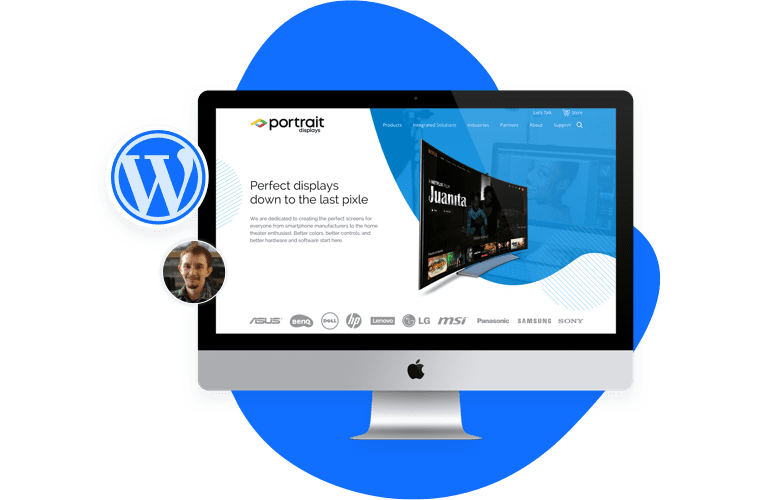
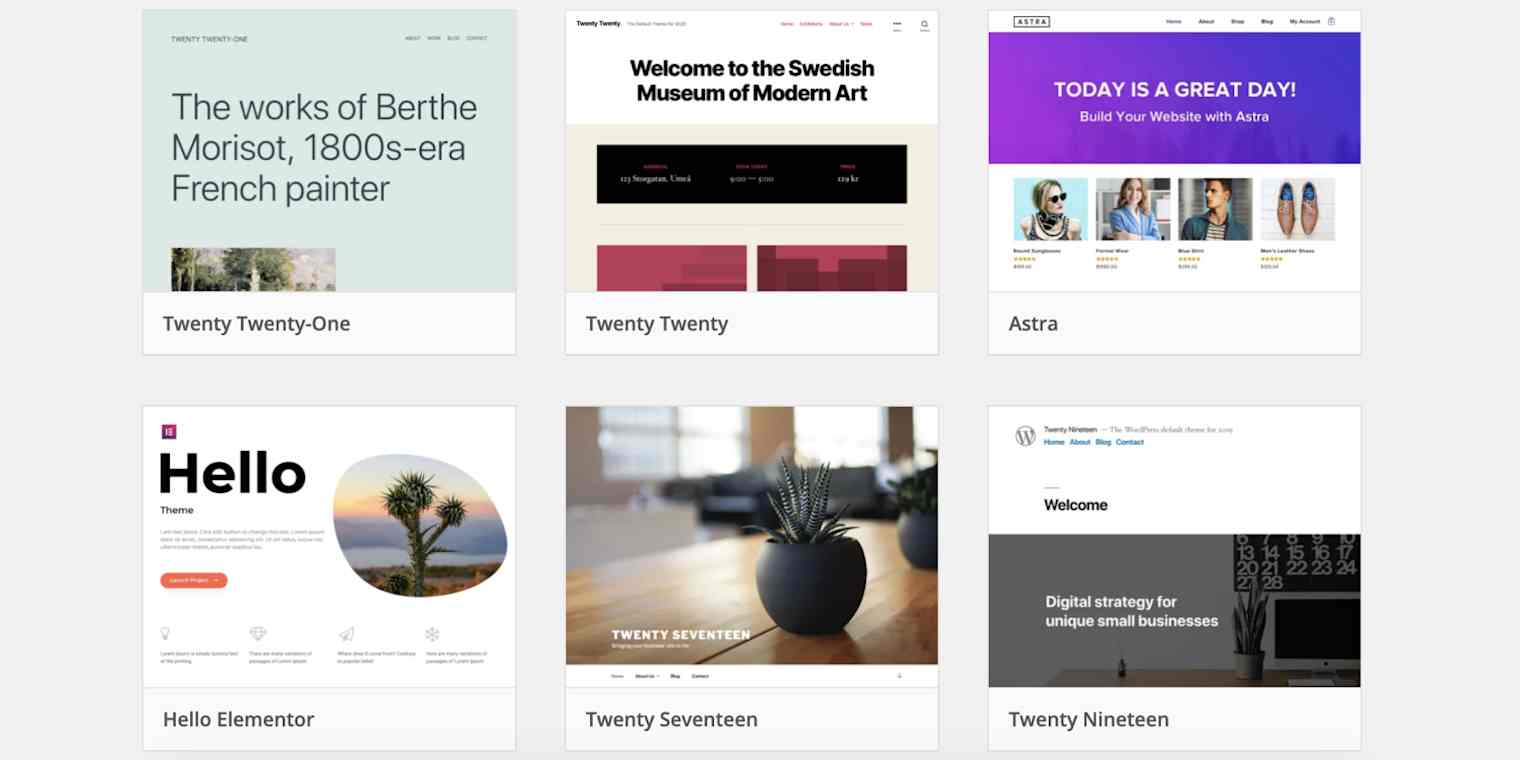
Choosing The Right Theme
Free themes cost nothing. They can be a good start. But they often have limited features. Premium themes need payment. They offer more options and support. With premium, you get more designs. Security is usually better too. Free themes might have less updates. This can be a risk. Choose based on your needs and budget.
Everyone uses different devices. Phones, tablets, and computers. A responsive theme adjusts to all sizes. This helps your site look good everywhere. Better user experience means happy visitors. Google likes responsive sites too. This helps with search rankings. Always check if a theme is responsive.
Themes come with many features. Some have custom colors. Others have special fonts. Look for SEO-friendly designs. Page builder support is also key. Some themes include sliders or galleries. Check if they offer regular updates. Read user reviews. They show real opinions. Always test the theme demo first. This helps you see all features.
Credit: zapier.com
Installing A WordPress Theme
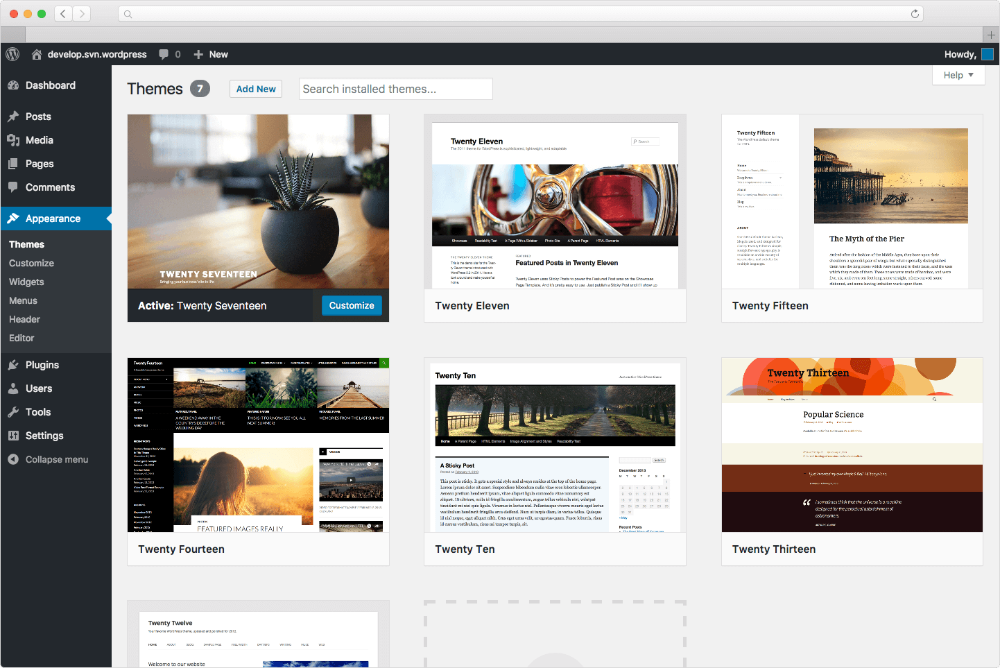
Open your WordPress dashboard. Find the Appearance menu. Click on Themes. Look for the WordPress Theme Directory. Search for themes. Use keywords to find the best theme. Check ratings and reviews. Choose a theme. Click Install to add the theme.
Download your theme from a trusted site. Save it on your computer. Go to the Themes section. Click Upload Theme. Choose the file from your computer. Click Install Now. Wait for the upload to finish. Make sure the file is in .zip format.
Find your installed theme in the list. Click on Activate. Your site now uses this theme. Check your website appearance. Make sure it looks good. Change settings if needed. Themes can change your site’s look. Try different themes to see what you like.
Customizing Your Theme
Crafting a website with WordPress themes offers flexibility and creative control. Personalize your theme by adjusting colors, fonts, and layouts to fit your brand’s identity. This customization enhances user experience and boosts engagement, helping your site stand out in the digital world.
Using The WordPress Customizer
The WordPress Customizer helps change your website’s look. It is easy to use. You can change colors, fonts, and more. Each change happens live. This means you see changes as you make them. Explore each option in the customizer. Discover what each one does.
Adding Widgets And Menus
Widgets help add special boxes to your site. These can show text, images, or links. Menus are for navigation. They help visitors find pages on your site. Add and organize these in the widgets and menus section. Make sure everything is easy to find.
Adjusting Theme Settings
Theme settings change how your website works. These settings are unique to each theme. Adjust them to fit your needs. Check layout options. Choose sidebar positions. Look at header and footer settings. Save your changes to see them live.
Enhancing Functionality With Plugins
Beginners should consider essential plugins. These plugins help in creating a strong base. A security plugin is important to keep the website safe. SEO plugins help people find your site on search engines. Backup plugins keep your data safe. If something goes wrong, you can restore it. Contact form plugins allow visitors to reach you. These basic plugins make managing your website easier.
Some plugins work best with certain themes. Theme-specific plugins add extra features. They improve the look and feel of your site. Some themes may come with built-in plugins. These plugins match the theme style. They make the website more attractive. Choose plugins that fit your theme’s design. This ensures a good user experience.
It’s crucial to check plugin compatibility. Plugins must work with your theme. Incompatible plugins can break your website. Check for updates often. Updated plugins fix bugs and improve security. Read plugin reviews for feedback. This ensures you choose the right plugins. Always back up your site before adding new plugins. This keeps your data safe.
Optimizing For Performance
Site speed is important. Slow sites lose visitors. Use fast WordPress themes. They load quicker. Reduce image sizes. Smaller images load faster. Use plugins wisely. Too many plugins slow down sites. Choose plugins carefully. They should be necessary. Caching helps too. It saves site data. This makes pages load faster. Check your site speed often. Use online tools. They show how fast your site loads.
Many people use phones. Your site must work well on phones. Use a responsive theme. It adjusts to screen size. Always test your site on phones. Make sure everything looks good. Navigation should be simple. Easy to find things. Buttons must be big enough. Easy to click. Avoid too much text. Keep pages short. Load time should be fast. Slow sites lose mobile users.
Good SEO helps people find your site. Use clear titles. Include important words. Add meta descriptions. They explain your page. Use headings well. They organize content. Keywords are key. Use them smartly. Don’t overuse. Link to other pages. This helps visitors. They find more info. Update content often. Fresh content ranks better. Always check SEO settings. Use plugins if needed. They help manage SEO.
Ensuring Security
Building a website with WordPress themes requires attention to security. Use strong passwords and regularly update plugins. Install security plugins to protect your site from threats.
Regular Updates And Backups
Updating your WordPress site is very important. It keeps your site secure. Always use the latest version of WordPress. Themes and plugins need updates too. Updates fix bugs and add new features. Backups are your safety net. They help if something goes wrong. Use backup plugins for easy backups. Store backups safely. Check backups often. This keeps your data safe.
Security Plugins And Measures
Install security plugins to protect your site. These plugins block hackers. They also stop malware. Some plugins are free. Others cost money. Choose one that fits your needs. Set strong passwords for all accounts. Change passwords often. Limit login attempts to keep hackers out. Use SSL certificates for safe data transfer.
Monitoring For Vulnerabilities
Regularly check your site for vulnerabilities. Use tools to scan for weak spots. These tools find problems before hackers do. Fix issues quickly. Set alerts for suspicious activity. Keep track of logins and changes. Pay attention to error messages. They can show bigger issues. Stay informed about security news. This helps you protect your site better.
Credit: watermelonwebworks.com
Frequently Asked Questions
How To Choose The Best WordPress Theme?
Selecting the right WordPress theme is crucial for your website’s success. Consider your site’s purpose and audience. Look for responsive designs and customization options. Check reviews and ratings to ensure reliability. Test theme speed and compatibility with plugins. A well-chosen theme enhances user experience and site performance.
Is WordPress Theme Customization Easy?
WordPress themes are generally easy to customize, even for beginners. Use the built-in Customizer for basic changes like colors and fonts. Many themes offer drag-and-drop builders, simplifying layout modifications. For advanced edits, you might need coding knowledge. With practice, customization becomes intuitive and enhances your site’s uniqueness.
Can I Use Free WordPress Themes?
Yes, free WordPress themes are available and widely used. They offer basic features and are suitable for small projects. However, they may lack advanced customization and support. Premium themes offer more features, customization options, and dedicated support. Choose based on your project’s needs and budget constraints.
How Do I Install A WordPress Theme?
Installing a WordPress theme is simple. Go to your WordPress dashboard, click Appearance, then Themes. Choose Add New to browse or upload a theme. Click Install, then activate it. Ensure compatibility with plugins and check design settings. A successful installation transforms your site’s appearance instantly.
Conclusion
Building a website with WordPress themes is straightforward and fun. You can customize your site to match your style. Themes offer great design options. Pick a theme that fits your needs. Explore plugins for added features. Make sure your website is mobile-friendly.
Test your site to ensure it works well. Regular updates keep your site secure. Share your new site with friends and followers. Enjoy your new online presence! With WordPress, creating a website becomes an easy journey. Dive in and start crafting your digital space today.
Your dream website is just a few clicks away.