If you want your WordPress site to get noticed, adding the right keywords is a must. But how do you do it without getting lost in complicated steps?
This guide will show you exactly how to add keywords to WordPress in a simple and effective way. By the end, you’ll know how to boost your site’s visibility and attract the right visitors. Ready to make your content work harder for you?
Let’s dive in!

Credit: www.crazyegg.com
Importance Of Keywords In Seo
Keywords play a key role in SEO. They help search engines understand what your content is about. Using the right keywords boosts your chances to appear in search results. This brings more visitors to your WordPress site. Choosing and placing keywords carefully improves your site’s visibility and traffic.
Role Of Keywords In Search Rankings
Search engines use keywords to match user queries with content. Good keyword use helps your site rank higher. Higher rankings lead to more clicks and visits. Keywords tell search engines about your page’s topic. They also help search engines decide if your page fits the search intent.
Choosing The Right Keywords
Select keywords that match what your audience searches for. Use simple and clear words. Focus on terms with good search volume but low competition. Think about what questions your readers might ask. Use tools to find keywords related to your topic. Proper keyword choice guides your content creation and SEO strategy.
Keyword Research Tools
Keyword research tools help find the best words to use in your WordPress content. They show which keywords people search for most. Using these tools can improve your site’s visibility on search engines. Choose tools based on your budget and skill level.
Free Tools For Beginners
Free keyword tools are great for new bloggers and small websites. Google Keyword Planner offers simple keyword ideas. Ubersuggest shows keyword volume and competition. Answer The Public gives questions people ask online. These tools help find keywords without cost. They are easy to use and provide good data for basic SEO.
Advanced Paid Tools
Paid tools provide deeper insights and more features. SEMrush tracks your keywords and competitors closely. Ahrefs offers detailed keyword difficulty and backlink data. Moz Pro provides keyword suggestions and site audits. These tools suit serious bloggers and businesses. They save time and offer accurate keyword strategies for better results.
Adding Keywords To WordPress
Adding keywords to WordPress helps your site rank better in search engines. Keywords are words or phrases users type to find content. Using the right keywords makes your site easier to find. There are two main ways to add keywords to your WordPress site. You can use SEO plugins or add them manually. Both methods improve your content’s visibility online.
Using Seo Plugins
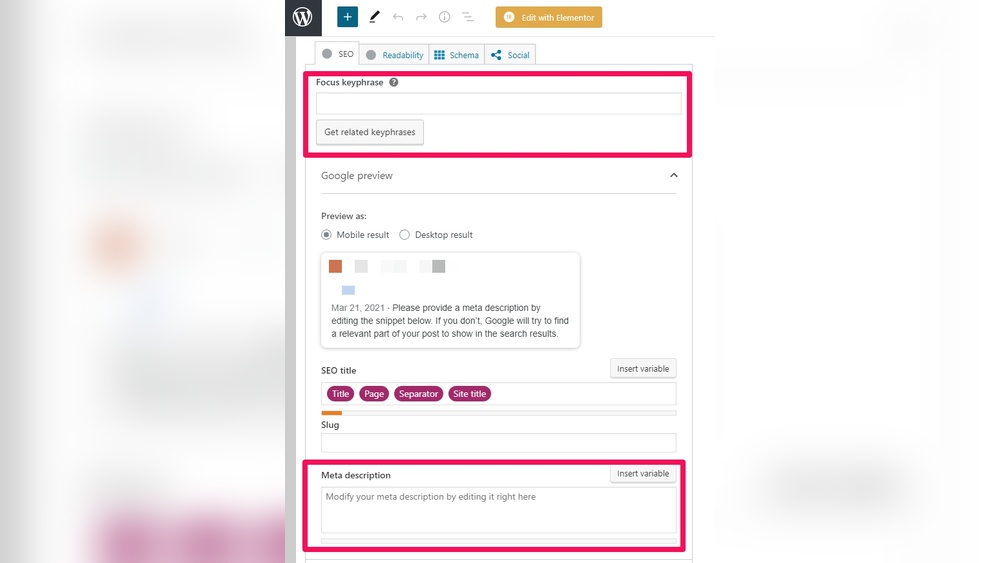
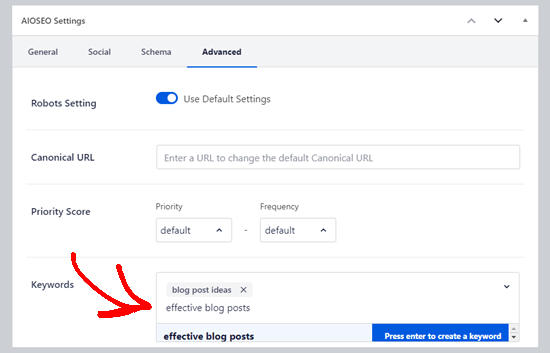
SEO plugins simplify keyword management. They let you enter keywords for each post or page. Popular plugins like Yoast SEO and All in One SEO offer easy keyword input fields. These plugins analyze your content and suggest keyword improvements. They also help set meta titles and descriptions. This boosts your chances of showing up in search results.
Manual Keyword Integration
Manual keyword integration means adding keywords yourself. You place keywords naturally in your content. Use them in titles, headings, and paragraphs. Avoid keyword stuffing to keep the text readable. Add keywords in image alt text and URLs too. This method takes more effort but gives full control. It helps search engines understand your content better.
Optimizing Content With Keywords
Optimizing content with keywords helps search engines understand your page. It improves your chance to appear in search results. Use keywords naturally to keep your writing clear and easy to read. Place keywords in key areas of your content to boost SEO. Focus on important spots like titles, headers, and images.
Title And Meta Descriptions
Include your main keyword in the title tag. Keep titles under 60 characters to avoid cutting off. Write clear and catchy meta descriptions. Use the keyword early in the description. Keep meta descriptions around 150 characters. This helps search engines and users know what your page is about.
Headers And Body Text
Use headers (H1, H2, H3) to organize content. Place keywords in headers to signal important topics. Write body text with keywords but avoid overusing them. Use synonyms and related words to keep content natural. Short paragraphs and simple sentences help readability. This keeps readers engaged and improves SEO.
Image Alt Text And Urls
Describe images with alt text that includes keywords. This helps search engines understand images. Write short, clear alt text for accessibility. Use keywords in image file names and URLs. Avoid long or confusing file names. This makes your site more SEO-friendly and user-friendly.
Avoiding Keyword Stuffing
Keyword stuffing can hurt your WordPress site’s ranking and readability. It means using the same keywords too many times in your content. This makes the text hard to read and looks spammy to search engines. Avoid it to keep your content natural and user-friendly. Proper keyword use helps your site rank better without annoying readers.
Maintaining Natural Flow
Write your content for people first, not search engines. Use keywords where they fit naturally. Read your sentences aloud to check if they sound smooth. Avoid forcing keywords into places where they do not belong. A natural flow makes your content easier to understand and more engaging. This approach keeps readers interested and reduces bounce rates.
Using Synonyms And Related Terms
Use synonyms and words related to your main keywords. This helps avoid repeating the same terms over and over. Search engines recognize related words and rank your content better. For example, instead of repeating “best shoes,” try “top footwear” or “quality sneakers.” This variety makes your content richer and more appealing to readers.
Credit: www.wpbeginner.com
Monitoring Keyword Performance
Monitoring keyword performance is essential to see how well your keywords work. It helps you know which keywords bring visitors and which do not. This way, you can improve your content and attract more people. Tracking keywords regularly saves time and effort in the long run.
Tracking With Analytics
Use tools like Google Analytics to track keyword performance. These tools show how many visitors come from each keyword. You can see which pages rank high in search results. Watch your website traffic and user behavior closely. Analytics give clear data to understand your keyword success.
Adjusting Strategy Based On Data
Change your keyword use based on the data you collect. Drop keywords that do not bring visitors. Add new keywords that match popular search terms. Update your content to include better keywords naturally. Keep testing and improving your keyword strategy often for best results.
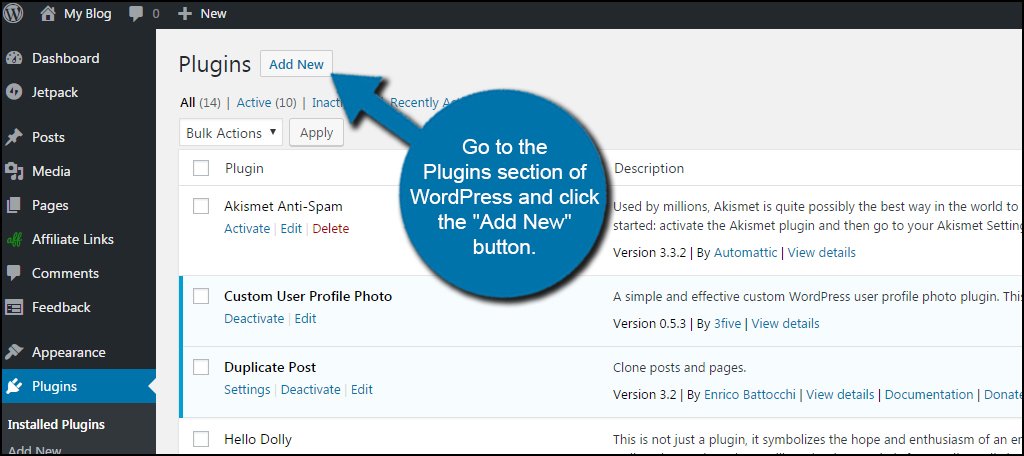
Credit: www.greengeeks.com
Frequently Asked Questions
How Do I Add Keywords In WordPress Posts?
To add keywords in WordPress posts, use the SEO plugin like Yoast or Rank Math. Insert keywords in the title, meta description, and content naturally to improve search rankings.
Where Should Keywords Be Placed In WordPress?
Place keywords in the post title, URL slug, headings, meta description, and throughout the content. Also, add keywords to image alt texts for better SEO results.
Can I Add Keywords Without Plugins In WordPress?
Yes, you can add keywords manually by including them in post titles, headings, and content. However, plugins help optimize meta tags and improve keyword usage efficiently.
How Many Keywords Should I Add To A WordPress Post?
Focus on 1-3 primary keywords per post. Overusing keywords can hurt SEO. Use them naturally to maintain readability and search engine relevance.
Conclusion
Adding keywords in WordPress helps your site get found by search engines. Choose relevant words that match your content well. Place keywords naturally in titles, headings, and text. Use plugins to make the process easier and faster. Keep your keywords clear and simple for readers and search engines.
Regularly update your keywords as your content grows. This small effort can improve your website’s visibility a lot. Start adding keywords today and watch your site get noticed.